Patient Engagement
AI for Patient Engagement: A Complete Guide
Our guide to AI for patient engagement: conversational assistants, intake, messaging, personalization, platforms and measurement.
October 23, 2026Read more
Epic FHIR API capabilities and limits for healthtech teams. Covers FHIR R4 resources, SMART on FHIR auth, sandbox testing, write access, and HL7 v2 gaps.

Epic publishes its FHIR R4 API documentation and sandbox at its developer portal, and the Epic FHIR API provides broad read access while write access is far narrower and varies by resource and each customer's configuration. Engineers scoping an app must establish which interactions a target health system enables before committing to a clinical workflow.
The practical scope includes resource access, patient and provider authorization, backend services, sandbox testing, and alternatives when FHIR can't support the required action.
Epic's FHIR developer portal lists hundreds of FHIR APIs across DSTU2, STU3 and R4, with most resources offering read and search and far fewer offering create or update, according to Epic's API documentation. Those totals describe platform breadth. They say nothing about what your application can call at a given hospital.
Every health system runs its own configured FHIR base URL, with its own enabled resources, interactions, search parameters, and scopes. A request that succeeds in the shared sandbox tells you the resource exists. It does not tell you the target customer has turned it on. Scoping therefore starts with the production environment's capability statement and the customer's authorization policy, not with a green response in development.
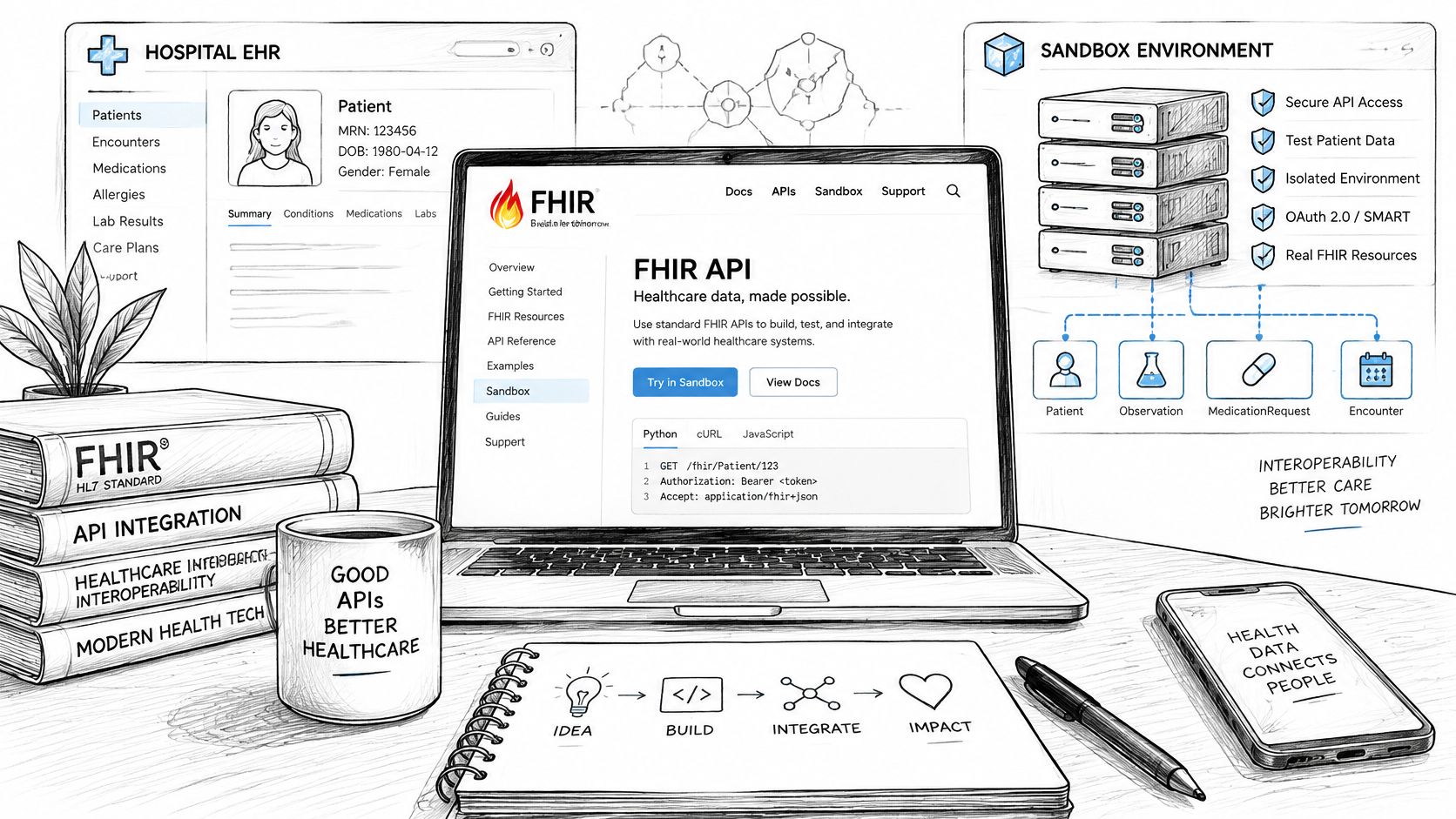
US certified EHR APIs must support the applicable USCDI data requirements. Under the HTI-1 final rule, USCDI v3 became the only required version in the ONC certification program on January 1, 2026. The HL7 US Core implementation guide supplies the profiles and implementation requirements behind standardized US clinical-data access.
That baseline guarantees read-side conformance for certified data classes. It does not grant permission to create records, place orders, or automate customer-specific workflows. Treat certification requirements, vendor documentation, and customer enablement as three separate inputs to scope, because they regularly disagree.
We recommend a capability matrix keyed by customer, environment, FHIR version, resource, interaction, search parameters, and approved scope. Engineering owns its implementation; the customer's Epic administrators confirm local configuration. Record the test evidence next to each entry. A capability that is documented but never exercised at that site is an untested product promise.
For the wider integration project, including Epic partnership options, interfaces and go-live, see our Epic EHR integration guide and EHR integration API overview.
Start with the clinical information the application needs, then identify the resource and interaction that represent it. Don't assume that a resource's presence in the catalog establishes create or update support.
A JAMIA Open study of healthcare applications found Patient in 96 apps, Observation in 83, Condition in 78, and Medication in 71. These are useful starting points for discovery, but the study's usage counts don't establish current permissions at any particular Epic installation.
The table below is a scoping reference, not a promise of enabled operations.
| Resource | Typical read use | Write access | Notes |
|---|---|---|---|
| Patient | Demographics and patient context | Verify the exact interaction locally | Resolve identifier meaning before joining records |
| Observation | Measurements and clinical observations | Requires operation-specific verification | Check supported searches and clinical metadata |
| Condition | Conditions and problem information | Requires operation-specific verification | Confirm the intended clinical destination |
| Medication | Medication information | Don't infer write support from read access | Distinguish medication information from the intended medication workflow |
Epic's technical specifications direct developers to inspect capabilities, search parameters, identifier types, launch context, and OAuth workflows. For each proposed write, require evidence of resource support, enabled interaction, approved scope, and local clinical governance.
Epic documents the R4 Patient.$match operation for demographic matching intended to identify an existing high-confidence patient match and retrieve the hospital MRN. That purpose differs from treating a generic Patient search as an identity-resolution service.
Define the demographics your application submits and who resolves ambiguous or absent matches. Protect the returned MRN, preserve its organizational context, and prohibit automatic attachment of clinical output when identity remains unresolved. The customer should own the local identity policy; engineering should prove that the application follows it.
Choose the access model from who authorizes access and who initiates the work. A patient retrieving their own information, a clinician opening an embedded application, and a scheduled backend process have different authorization contexts.
Epic's FHIR interface documentation describes patient-facing and provider-facing SMART launches alongside backend services. These access models can involve overlapping FHIR resources, but they shouldn't share an undifferentiated authorization design.
| Model | Audience | Authorization pattern | Typical use case |
|---|---|---|---|
| Patient-facing application | Individual patient | SMART standalone authorization | Retrieve information for a patient-directed application |
| Provider-facing application | Clinician or other authorized user | SMART EHR launch or standalone authorization | Present clinical information within an authorized workflow |
| Backend service | Authorized software service | SMART Backend Services | Run approved server-to-server processing |
For scoping, distinguish patient-access APIs from the broader set of APIs selected for an application's workflow. These labels don't establish separate universal endpoint catalogs. The resource, interaction, authorization context, and customer configuration determine what the application can do.
A clinician opening an app from a chart provides a different starting context from a patient opening a mobile application. A backend job needs service authorization rather than an interactive user session. Don't choose backend services merely to avoid designing user authorization.
Our SMART on FHIR guide provides additional implementation context for that decision. Before writing authorization code, document the initiating actor, expected patient context, required data, and intended action.
Keep the product requirement equally explicit. “Read observations for the active patient” is testable; “connect to Epic” leaves authorization, identity, and workflow acceptance unresolved.
In an EHR launch, Epic supplies a launch token and the FHIR server endpoint, iss. The application discovers SMART configuration, requests an authorization code, and exchanges that code for an OAuth 2.0 access token, as described in Epic's authorization documentation.
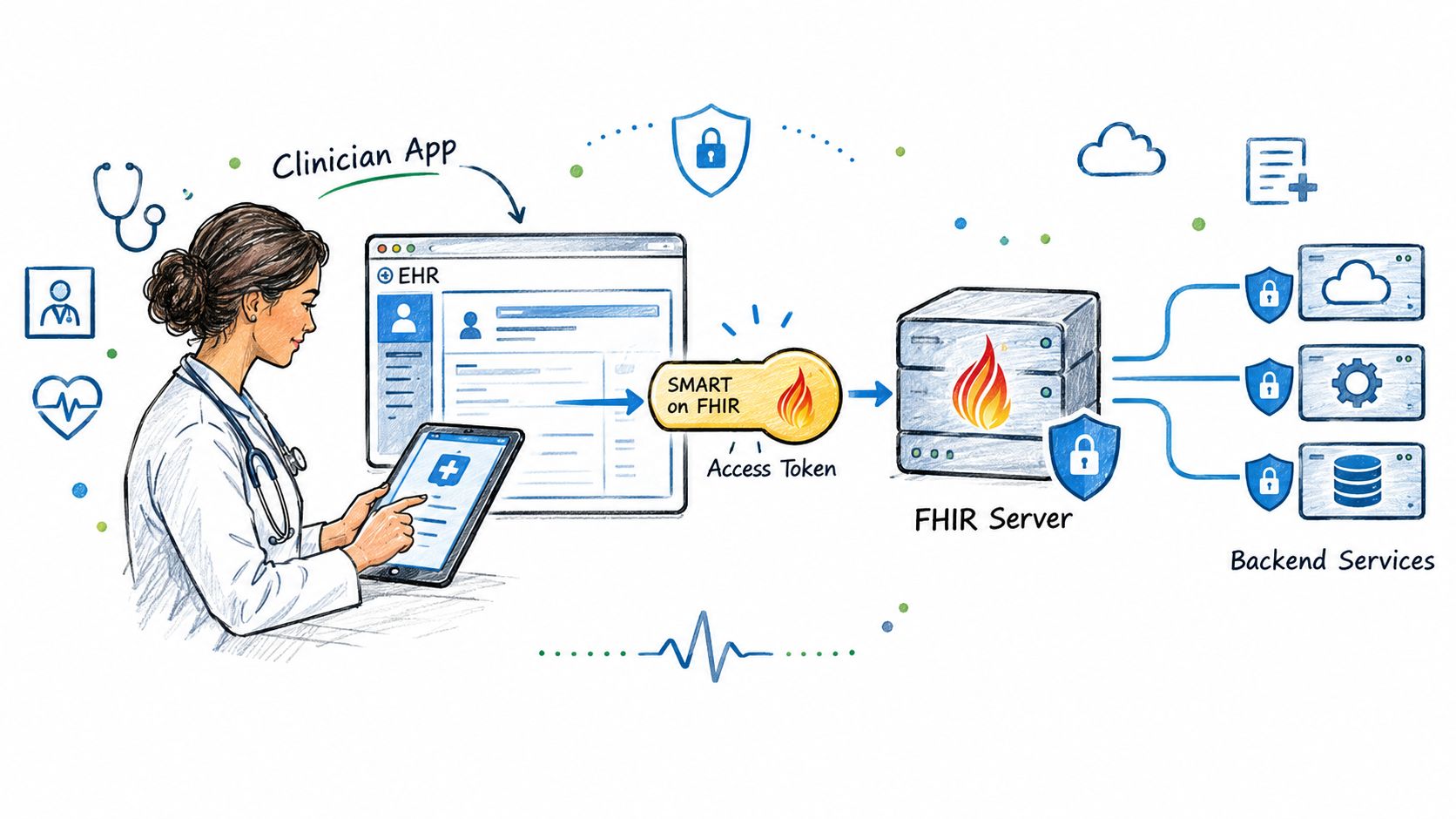
Implement the sequence as distinct, testable stages:
Accept the launch parameters and associate them with the correct customer environment.
Discover authorization and token endpoints from that environment's SMART configuration.
Request the approved scopes and preserve the launch context through authorization.
Exchange the authorization code and use the resulting token for authorized resource access.
Don't hard-code authorization endpoints across customers. Preserve returned patient and encounter context where supplied, and verify that the application uses that context rather than a previously selected patient.
For confidential backend services, Epic documents JWT-bearer authentication. Use the service authorization path for server-to-server work, with the appropriate asymmetric signing configuration, rather than borrowing a clinician's interactive session.
Separate client IDs, redirect URIs, requested scopes, endpoint metadata, and signing configuration by health-system environment. Use the scope strings documented for the selected APIs and authorization profile; don't copy a scope list from an unrelated sandbox example.
Engineering should test rejected credentials, expired access, incorrect environment selection, and denied scopes. Validate issuer and audience where applicable to the token type, and implement the supported access-token renewal mechanism. Don't assume every token is locally inspectable or that every authorization model supplies refresh credentials.
Keep the authorization evidence specific: configuration review, successful authorized retrieval, and negative tests proving that access outside the approved workflow is denied.
The public R4 sandbox is useful for exercising authorization and resource retrieval against sample data. It doesn't establish that your app has production access or that a customer's clinical data will resemble the test fixtures.
Each health-system customer must approve and configure the application. Production acceptance therefore needs a customer environment, customer-approved access, and representative workflow tests. A working sandbox proves the code can complete the tested path under sandbox conditions.
Use onboarding to collect evidence rather than changing the base URL.
| Check | Owner | Evidence to retain |
|---|---|---|
| Resource interactions and searches | Integration engineering | Capability statement and executable request tests |
| Client configuration and approved scopes | Customer Epic administrators | Environment-specific configuration confirmation |
| Identity and clinical workflow | Customer clinical and identity owners | Accepted matching and workflow test cases |
| Failure handling and monitoring | Engineering and operations | Negative-test results and operational runbook |
| Release acceptance | Product and customer IT | Signed-off capability matrix |
Build resource-level feature flags from that matrix. Treat an unsupported search as a known interoperability condition with an explicit fallback, rather than retrying it indefinitely. Normalize responses into an internal clinical model while retaining source identifiers and provenance.
Keep documented support, customer enablement, and successful application tests as separate evidence fields.
Epic reports 322 billion public API web-service transactions in its most recent reported year on its interoperability platform page. That scale doesn't establish a throughput allowance for your application.
Set customer-specific expectations for request volume, throttling, and recovery. Instrument authorization failures, unsupported operations, patient-resolution failures, and normalization errors without exposing clinical payloads in routine diagnostic logs. Test the recovery paths before release.
FHIR coverage in a capability statement does not settle the interface decision. Admissions, discharges, outbound results, and scheduling events have moved over HL7 v2 feeds at Epic sites for years, and many customers already run interface engines that own those routes. If the workflow needs event notification or a sustained feed rather than request-based retrieval, you are specifying a feed, not an API call.
Epic's workflow roadmap materials illustrate use cases extending beyond data retrieval. Treat them as directional, not as a customer-specific implementation contract or evidence that a standardized write API is enabled at a given site.
Score FHIR, HL7 v2, and any other customer-supported interface against the same acceptance criteria before committing a build.
| Dimension | FHIR path to validate | HL7 v2 or other interface path to validate |
|---|---|---|
| Data type | Resource and supported interaction | Message or interface contract for the required content |
| Direction | Approved read, create, or update operation | Agreed inbound or outbound route |
| Latency | Whether request-based retrieval meets the workflow | Whether a configured feed meets notification needs |
| Write-back | Resource support and intended clinical destination | Supported receiving workflow and acknowledgment behavior |
| Recovery | Safe retry and duplicate prevention | Replay, reconciliation, and exception ownership |
The FHIR versus HL7 comparison helps frame this selection. For broader healthcare integration planning, specify the clinical outcome before selecting the transport. Whichever route you choose, record it per customer in the capability matrix. Feed availability, supported message types, and acknowledgment behavior vary by site just as much as FHIR interactions do.
A SMART launch establishes an application and authorization context. A FHIR resource represents exchanged data. CDS Hooks-style presentation and Epic-native workflow configuration each need their own implementation assessment, and neither follows automatically from granted FHIR scopes.
Where write-back stays unavailable, pair FHIR reads with human review and an approved fallback workflow. Engineering owns provenance, duplicate prevention, and recorded submission outcomes. Customer clinical owners decide where results appear and who acts on them.
An accepted technical submission still needs workflow validation. Prove the intended user can find, interpret, and reconcile the result before you call the interface done.
Consider a chart-launched application that displays observations and prepares a clinician-reviewed summary. This is a hypothetical design, not a description of a deployed customer integration.
Receive the EHR launch token and iss, then select the customer's configuration.
Discover SMART endpoints and complete the approved authorization-code flow.
Retrieve Patient/{id} and execute the customer-validated Observation search using the authorized patient context.
Normalize the results, retaining source identifiers, units, clinical coding, and provenance.
If the preferred search is unsupported, use only a tested alternative. Otherwise, explain the unavailable function instead of returning an apparently complete summary.
Present the output for review. Submit it only through an explicitly approved write path, with duplicate prevention and an auditable outcome.
Treat Epic connectivity as configuration and conformance management. Maintain a customer capability matrix and regression suite, make version and identifier assumptions explicit, and scope write-back separately from data retrieval.
Yes, where the specific resource interaction is supported and the customer enables it for the application. Read permission doesn't imply write permission, and a proposed write needs both technical verification and clinical workflow approval.
No. Production requires customer approval and configuration, followed by tests against the target environment's enabled capabilities and representative workflows.
Use SMART Backend Services for approved server-to-server workloads. Keep service authorization separate from interactive patient or clinician authorization, and test credential renewal and failure recovery for that service model.
Use a customer-approved identity strategy and retain the organizational context of identifiers. Where Epic's documented Patient.$match operation fits the workflow, establish explicit handling for high-confidence, ambiguous, and absent matches.
Consider another interface when the required event feed, receiving workflow, or write operation isn't supported through the approved FHIR path. Select it with the customer's interface team and test acknowledgment, duplicate handling, and reconciliation before release.
Book a consultation with Ekipa's HealthTech engineers to review your resource requirements, authorization model, and customer-specific production gaps.
Our guide to AI for patient engagement: conversational assistants, intake, messaging, personalization, platforms and measurement.
Compare Mirth Connect alternatives after the licensing change, from Open Integration Engine and BridgeLink to commercial engines and cloud HL7 and FHIR services

RAG for clinical documents: ingest FHIR notes, retrieve and cite evidence, protect PHI, and test faithfulness, recall and abstention before release.
Connect with our team to explore how AI expertise can transform your business.