
AI Integration
CDS Hooks Explained: Adding Decision Support Inside the EHR
CDS Hooks explained: how this HL7 standard calls external decision support from EHR workflows, with hooks, cards, prefetch, and a worked example.
October 29, 2026Read more
Bulk FHIR Export explained for data engineers: $export levels, async NDJSON downloads, SMART Backend Services auth and the ONC 170.315(g)(10) requirement.
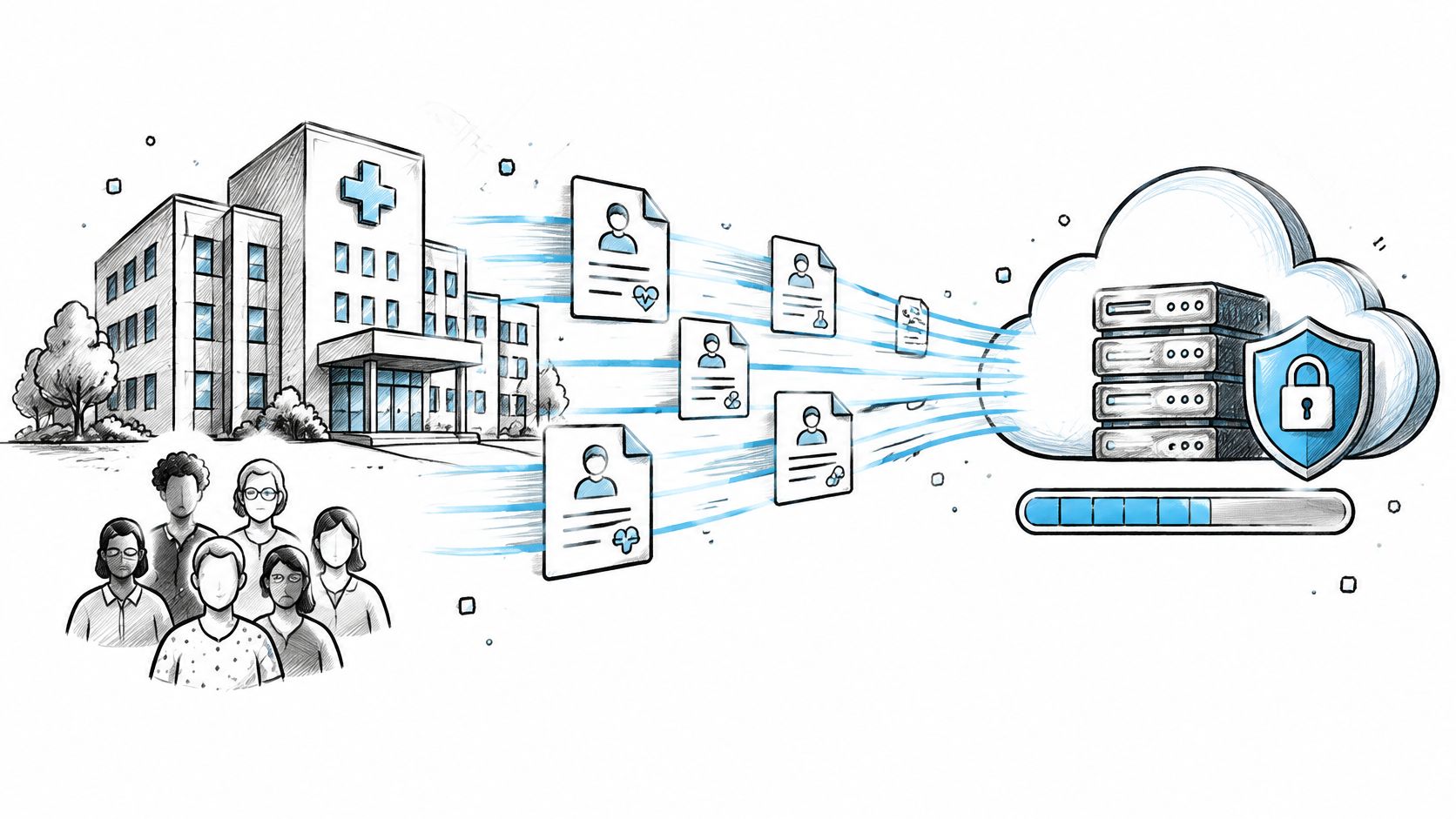
HL7 published the first Bulk Data Access Implementation Guide on August 22, 2019, after the community began work on a standardized bulk-data API in 2017. The ONC adoption post describes that history as guidance on adoption. It is not the legal text of the certification rule. The engineering problem is that a population extract still fails when polling, file handling, and PHI controls are treated as an afterthought to the request syntax. This article walks the bulk FHIR export lifecycle for data engineers: version and certification, export levels, SMART Backend Services, the async job, and the operating controls that keep a live EHR stable.
The HL7 FHIR Bulk Data Access Implementation Guide is the standard for moving a population without one REST read per resource. Version 1.0.0 set three choices that still shape every client. You can query all patients or a defined group, write newline-delimited JSON that streams, and run the job asynchronously so the client does not hold a connection open.
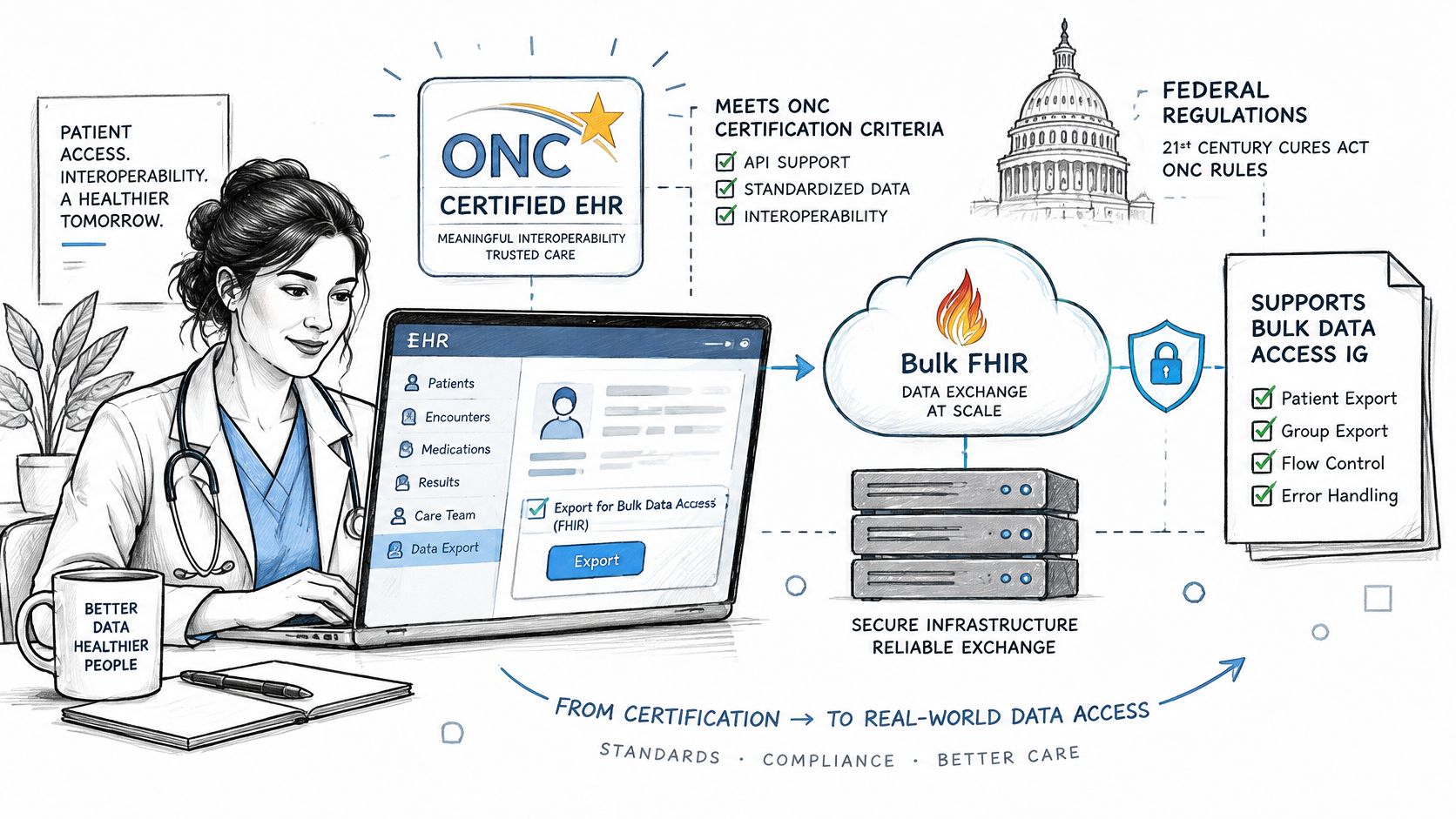
HL7's specification record lists version 2.0.0 as published on November 26, 2021, and as a standard approved under ONC's 2022 Standards Version Advancement Process. HL7 then published version 3.0.0 on December 11, 2025. It adds optional features, such as an _until parameter and partial manifests, and HL7 states that valid 2.0.0 servers are also valid 3.0.0 servers. All versions are based on FHIR R4. Build clients against the 2.0.0 baseline that certified EHRs document, use 3.0.0 features only when a server advertises them, and confirm Bulk Data support in the CapabilityStatement before you freeze endpoints.
CMS has put the same specification into the Data at the Point of Care pilot and the Beneficiary Claims Data API, which delivers large Medicare Fee-for-Service claims sets. That is public-sector claims distribution, not only an EHR migration experiment. Version choice, authorization, export scope, and async job handling belong in platform architecture, not in a one-off script.
45 CFR 170.315(g)(10) is a certification criterion under 45 CFR Part 170. It requires certified health IT to support the Bulk Data Access IG, including Group-level export. ONC's post explains how the agency has supported adoption. It does not replace the regulatory text or a current certification listing. Certification shows the developer implemented the capability and can produce test evidence. It does not show that a tenant configured scopes, that a Group membership is current, or that a job finishes inside your service target.
Pipelines that land those files into analytics are the core of healthcare data engineering on FHIR data. Who configures the tenant, and who proves the files, still splits three ways.
| Party | Owns | Evidence to request |
|---|---|---|
| Certified EHR developer | Server capability for standardized bulk export, including Group-level export | Certification listing as of the date checked and the CapabilityStatement |
| Health system or data partner | Scopes, Groups and export job configuration | Tenant configuration record and documented export parameters |
| Engineering team | File validation, checkpointing and downstream storage | Line-count and checksum logs and job audit records |
Check the listing on the date you review it. Listings change, and a passed certification test is not a tenant configuration record.
| Export level | Endpoint | Data returned | Typical use |
|---|---|---|---|
| System | [base]/$export | All resources the authorized client can access | Platform-wide analytics and migration |
| Patient | [base]/Patient/$export | Resources for all patients within the client scope | Patient-level extraction across a permitted population |
| Group | [base]/Group/[id]/$export | Resources for members of a defined Group | Quality reporting, cohort analytics and payer populations |
System-level $export is the broadest request the authorized client can make. Patient-level Patient/$export returns data for patients the client may read. Group-level Group/[id]/$export is scoped to members of a Group already defined on the server.
Use _type to request named resource types, such as Patient, Observation, and Encounter. _since limits results to resources changed after a timestamp, helping avoid a full re-pull. _typeFilter can narrow results further when the server supports it, and version 3.0.0 adds an optional _until parameter. Parameter and endpoint support varies by implementation, so check the CapabilityStatement and vendor documentation before building the request.
For Group-level export, define the Group and confirm its membership before kickoff. Store the Group id and cohort definition with the job record, and version the cohort step in the pipeline. If membership changes after kickoff, the exported files may no longer represent the cohort you intended.
If a server supports only Patient-level export, confirm that the client's permitted patient scope covers the required population. If it does not, the requested cohort cannot be assembled through that endpoint alone.
Bulk export is system to system. The IG recommends SMART Backend Services, an OAuth 2.0 client-credentials flow. The backend client authenticates with a signed JWT. There is no user login. Our write-up on SMART on FHIR covers how that model differs from an interactive launch, including sandbox testing and write-access limits on FHIR R4.
The client builds a JWT with iss and sub set to its client id, aud set to the token endpoint, a short exp, and a unique jti. It signs that JWT with an asymmetric private key. It posts the assertion to the token endpoint with grant_type of client_credentials and the JWT bearer client assertion. The server returns an access token. The client sends that token as a bearer token on kickoff and on every status poll.
Register the public key, or a JWKS endpoint, with the server before first use. Keep the private key in a secrets manager. Plan rotation with an overlap window so a poll in flight does not fail when the old key is retired. Request only the system or patient scopes the export level needs. Confirm the exact scope strings in the vendor's documentation, because published sets differ. File downloads may be authorized differently from kickoff, so a token that starts the job can still fail on the file GET.
A token that only proves kickoff is an incomplete test. The file URL is a second authorization decision.
Before production, run this sandbox pass and name an owner for each line.
Engineering confirms JWT claims, signature, and clock skew against the token endpoint.
Security confirms the public key or JWKS is registered and the private key is not in source control.
The integration owner matches scope strings to the vendor document for the chosen export level.
Engineering completes kickoff, poll, and file download with the same client, then records the HTTP results.
Treat the client as an async state machine. The HL7 export specification allows the server to return HTTP 429 when a client polls too often, so backoff is part of the design, not a nicety.
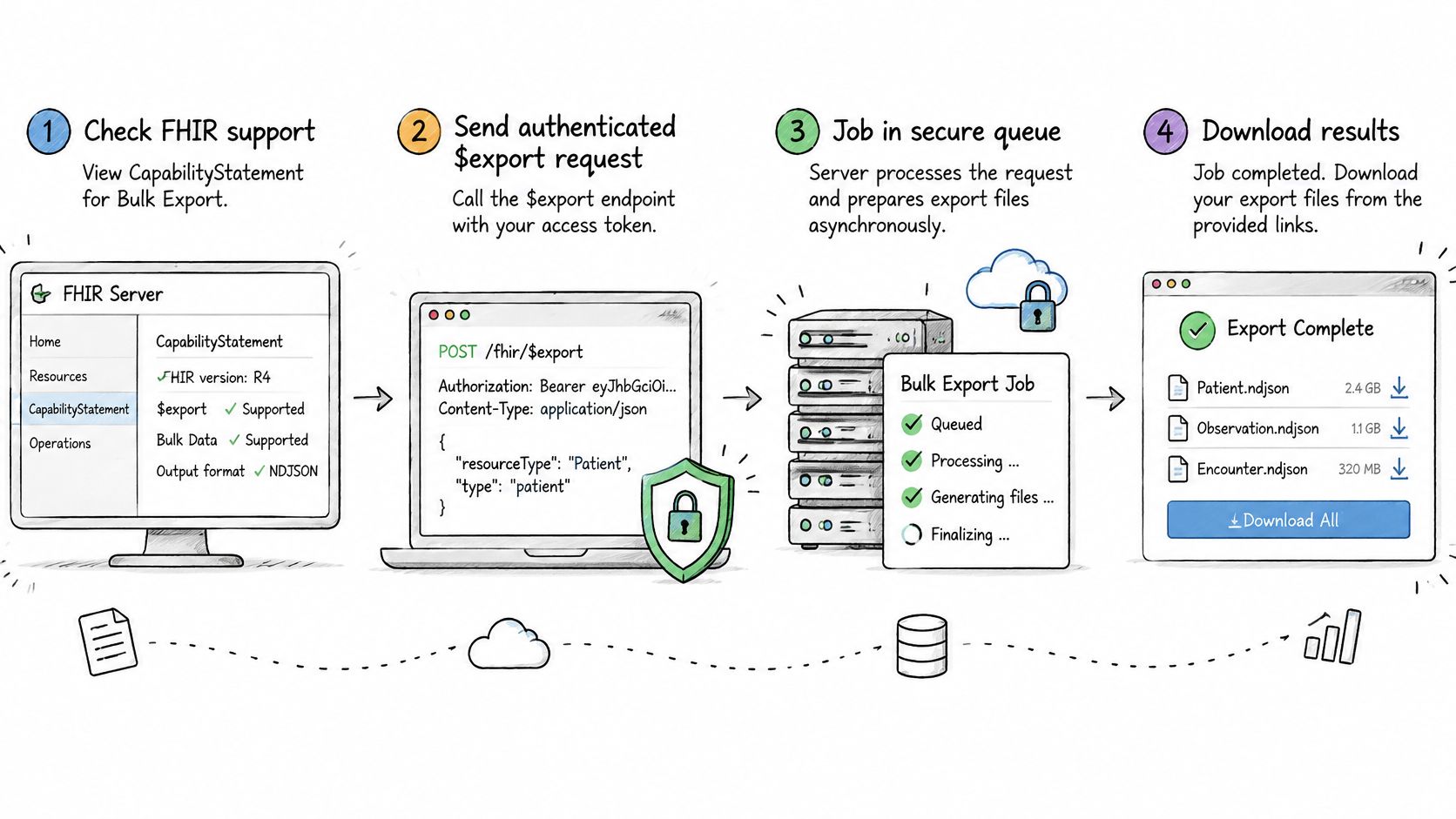
Read the CapabilityStatement and confirm Bulk Data support for the export level you will call. A missing advertisement means you stop, rather than guessing an endpoint.
Send an authenticated GET kickoff to the $export endpoint (use POST with a Parameters resource only if the server supports it) with _type and, where you need an incremental cut, _since. Send Prefer: respond-async so the server does not attempt a synchronous body.
On HTTP 202 Accepted, store the Content-Location status URL. That URL is the only handle for polling and for cancellation.
Poll with exponential backoff and jitter. Honor Retry-After. Treat HTTP 429 as a signal to slow down, not as an error to retry at once.
When the status response is a manifest, read the output array of file URLs by resource type. Record transactionTime and any error-file URLs before you download.
Download each file as application/fhir+ndjson. Parse one line at a time, one FHIR resource per line, and checkpoint the byte or line offset so an interrupted download can resume.
Check each file against its expected line count and checksum. Then send DELETE to the status URL so the server can release the job.
Each output file holds one resource type, and a large type may be split across files. Stream the bytes. Do not load a multi-gigabyte file into memory. Check the manifest's requiresAccessToken flag: when it is true, send the bearer token on every file request; when it is false, the URLs are typically pre-signed and short-lived. Either way, download promptly and store the raw files before any transform. Gzip is common in production. Confirm the server accepts it before you require Accept-Encoding, or the client will fail on a server that only emits plain NDJSON.
The server side should isolate export jobs from interactive traffic, enforce authorization at kickoff and at file retrieval, expire URLs, and keep an audit of scope, requester, timestamps, and files delivered. The client owns resumable downloads. The server owner owns isolation and audit retention.
A large FHIR export can shift load from many small API requests to long-running jobs and high-volume file processing. Oracle's bulk data guidance notes that export jobs run against the organization's database, on the same services that support other applications and user workloads, and that export duration and resource use grow with dataset size and patient population. Bulk export reduces request overhead, but it does not remove the work: the clinical server still processes the job, and the receiving system must handle the files without overwhelming downstream services.
The IG defines kickoff, status polling, and retrieval. It does not prescribe queue depth, concurrency caps, retry budgets, rate limits, or manifest lifetime. Processing time and resource use depend on the requested population, resource types, time range, network latency, and concurrent requests. Treat export capacity as an operational limit to establish with the server owner, not a guarantee provided by the protocol.
Population analytics, payer data exchange, quality reporting, and AI model training on de-identified data can justify bulk export's operational cost. Keep interactive charting on ordinary FHIR read and search.
Prefer _since incremental exports to repeated full pulls. Cap concurrent jobs per client, use the vendor's documented limits, and load test with production-like volumes. Back-pressure ingestion so a fast download does not flood the warehouse. The service-level owner should set targets for queue depth, job duration, file counts, and failed downloads, then review those measures on a monitoring dashboard. Keep the load-test report and audit-log samples with the runbook. Document cancellation and checksum handling there too, so an abandoned or incomplete job is visible to the on-call team.
Exported files contain PHI. Encrypt data in transit and at rest, and apply access and audit controls under the HIPAA Security Rule at 45 CFR 164.312, in Subpart C of 45 CFR Part 164. Model training on de-identified data requires a documented method under 45 CFR 164.514. Compliance owns that determination; engineering can demonstrate encryption, access logs, and retention, but should not declare a file de-identified. If the extract also falls under other privacy regimes, counsel should assess them alongside the HIPAA analysis.
Store the raw NDJSON, manifest, and job audit together. Without that trace, a transformed dataset cannot be tied back to its source files.
A bulk export build is ready when its scope, job controls, and PHI handling have clear owners. Before implementation, agree on which export level meets the data need and how the team will validate the result against its intended use. Assign compliance ownership for privacy decisions and engineering ownership for the export pipeline, access controls, and audit evidence.
Keep the first release narrow enough to operate reliably. Record the chosen scope, the expected output, and the conditions that trigger a retry or escalation. The team responsible for the downstream data should define acceptance checks, including how it handles incomplete jobs and files that cannot be processed.
For server options, see our FHIR server comparison, and for the wider picture of standards and vendor programs, our EHR integration and interoperability guide. To plan a bulk export pipeline with Ekipa's HealthTech engineers, book a consultation.
No. Support depends on the server and its configuration. Check its CapabilityStatement for the Bulk Data support and export level your workflow requires. If a patient cohort depends on Group export, confirm that capability with the EHR team before treating the cohort as ready.
The interoperable baseline is newline-delimited JSON, media type application/fhir+ndjson. Servers must also accept application/ndjson and ndjson. Each line is one FHIR resource, and files are partitioned by resource type. Other formats are optional, so rely on them only when the server documents support.
Yes, if the server supports _since. Use it to request resources changed after a specified timestamp, and confirm support for _until if the workflow uses that parameter. Define how the pipeline records its last successful timestamp: advancing it before all files are validated can leave gaps in later runs.
In most deployments, yes. The IG says implementers should use the SMART Backend Services authorization profile for system-to-system access. The client authenticates with a signed JWT using the client credentials flow and sends the access token with kickoff and status-poll requests. Test the full retrieval path as well. A job can start successfully while a later file download fails because the download request uses a different authorization path.
CDS Hooks explained: how this HL7 standard calls external decision support from EHR workflows, with hooks, cards, prefetch, and a worked example.
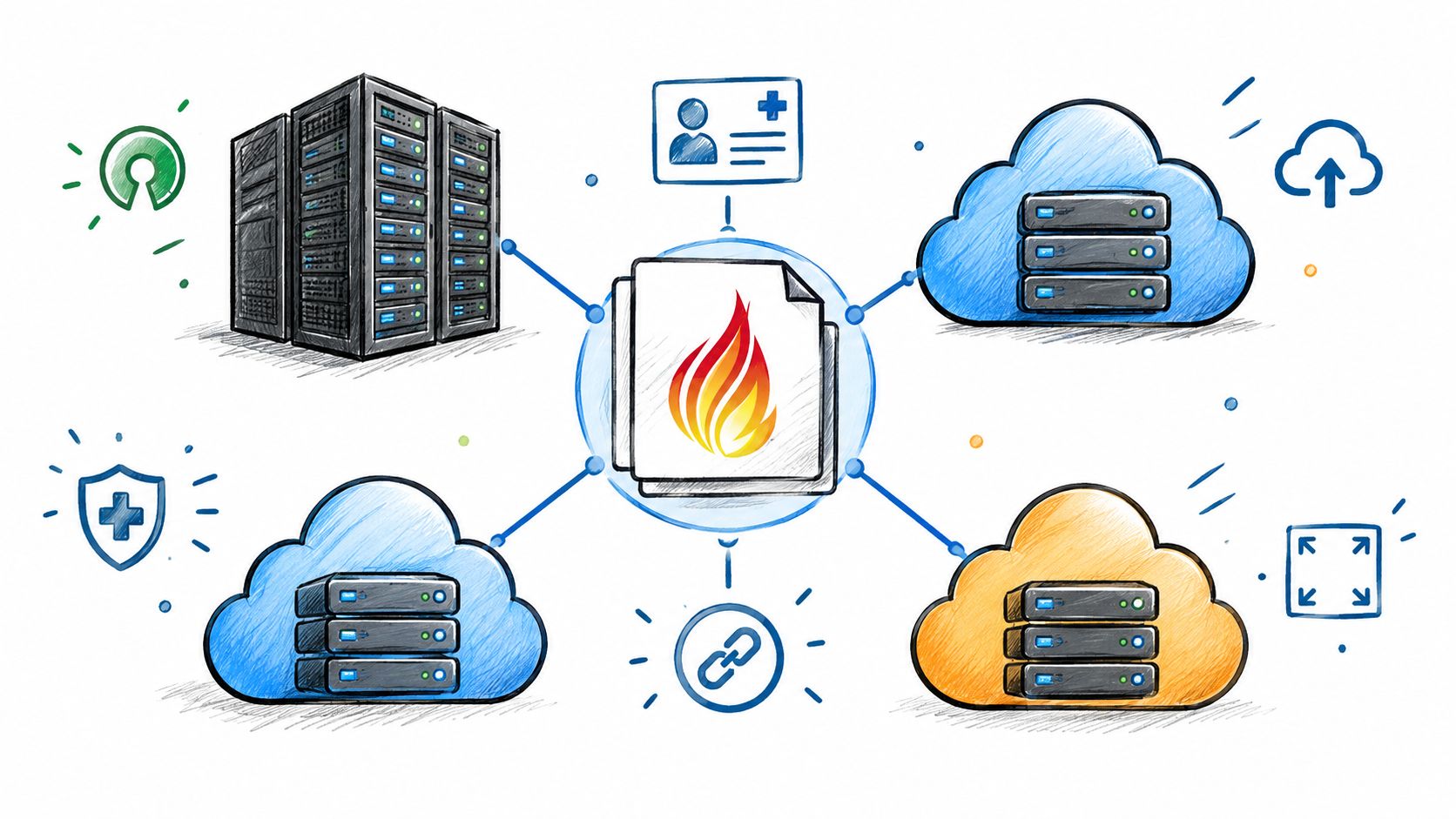
FHIR server comparison of HAPI FHIR, AWS HealthLake, Azure and Google Cloud: version, SMART, bulk export, HL7 v2, HIPAA and lock-in.

How to govern AI in healthcare: governance models, risk management, validation and monitoring, plus the FDA, HIPAA, Section 1557 and HTI-1 rules that apply.
Connect with our team to explore how AI expertise can transform your business.