
AI Adoption
AI Strategy and Implementation: A Complete Guide
The full journey from AI strategy to scaled implementation in four stages: align and assess, choose and plan, prove and build, govern and scale.
November 10, 2026Read more
Enterprise workflow automation explained: RPA, AI document processing, AI agents, architecture, governance and how to measure results with a baseline.
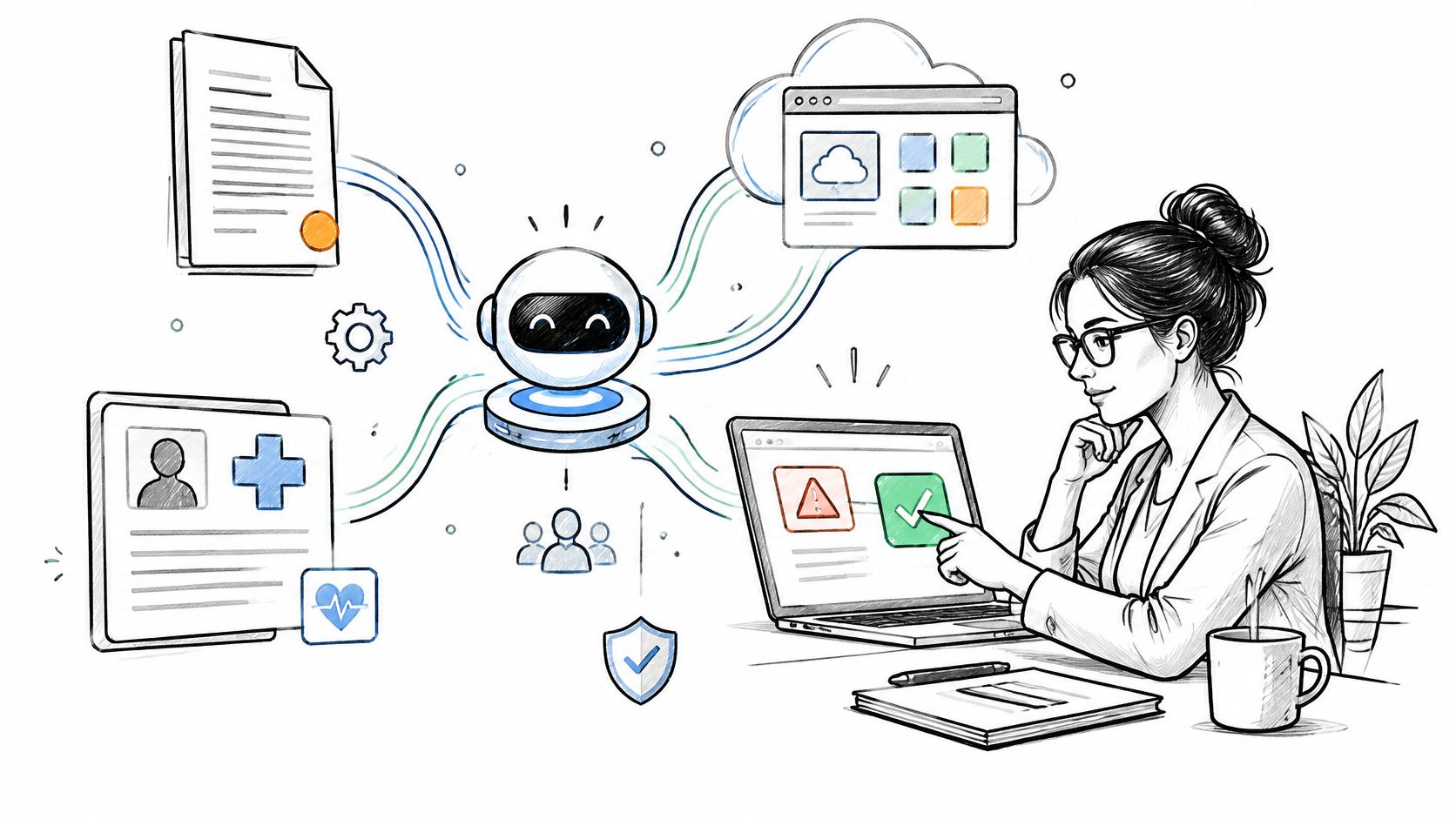
Enterprise automation budgets are increasingly going into processes that cross departments, systems and approval chains, and the projects that fail rarely fail because a model was weak. They fail because nobody owned the exception queue, a retry posted the same invoice twice, and the pilot never agreed what success looked like before it launched.
Enterprise workflow automation is the coordinated execution of a multi-step business process across applications, data sources, human approvals and business rules. The difficulty sits in the handoffs and in what happens when a handoff breaks. A single task that runs the same way every time can be automated by a script; a process with twelve steps, four systems and an approver on leave needs something with state, retries and a record of what happened.
This article covers the capability layers and where AI changes them, how to score candidate workflows before committing, a reference architecture with the controls that keep it correct, build versus buy versus automation as a service, governance under the NIST AI Risk Management Framework, and how to measure a result against a baseline captured before anything went live.
In the June 2024 CFO Survey run by Duke University and the Federal Reserve Banks of Richmond and Atlanta, nearly 60% of companies, and 84% of large companies, said they had implemented software, equipment or technology over the past year to automate tasks previously done by employees. That figure counts deployments already running. Most of them sit inside processes that span several systems, where every added step adds a dependency, a failure boundary and a place where two systems can disagree about what is true.
The discipline that holds this together is the coordination layer. A useful distinction separates mechanization from orchestration. Mechanization automates an isolated, repeatable task through standardized execution, which improves consistency and reduces variation. Orchestration coordinates dependencies, communication, workers and stages so information moves reliably across the whole process. Task-level automation can run as deterministic jobs or API calls. Orchestration needs explicit state management, dependency handling, retries, timeout policies, idempotency, observability and exception routing.
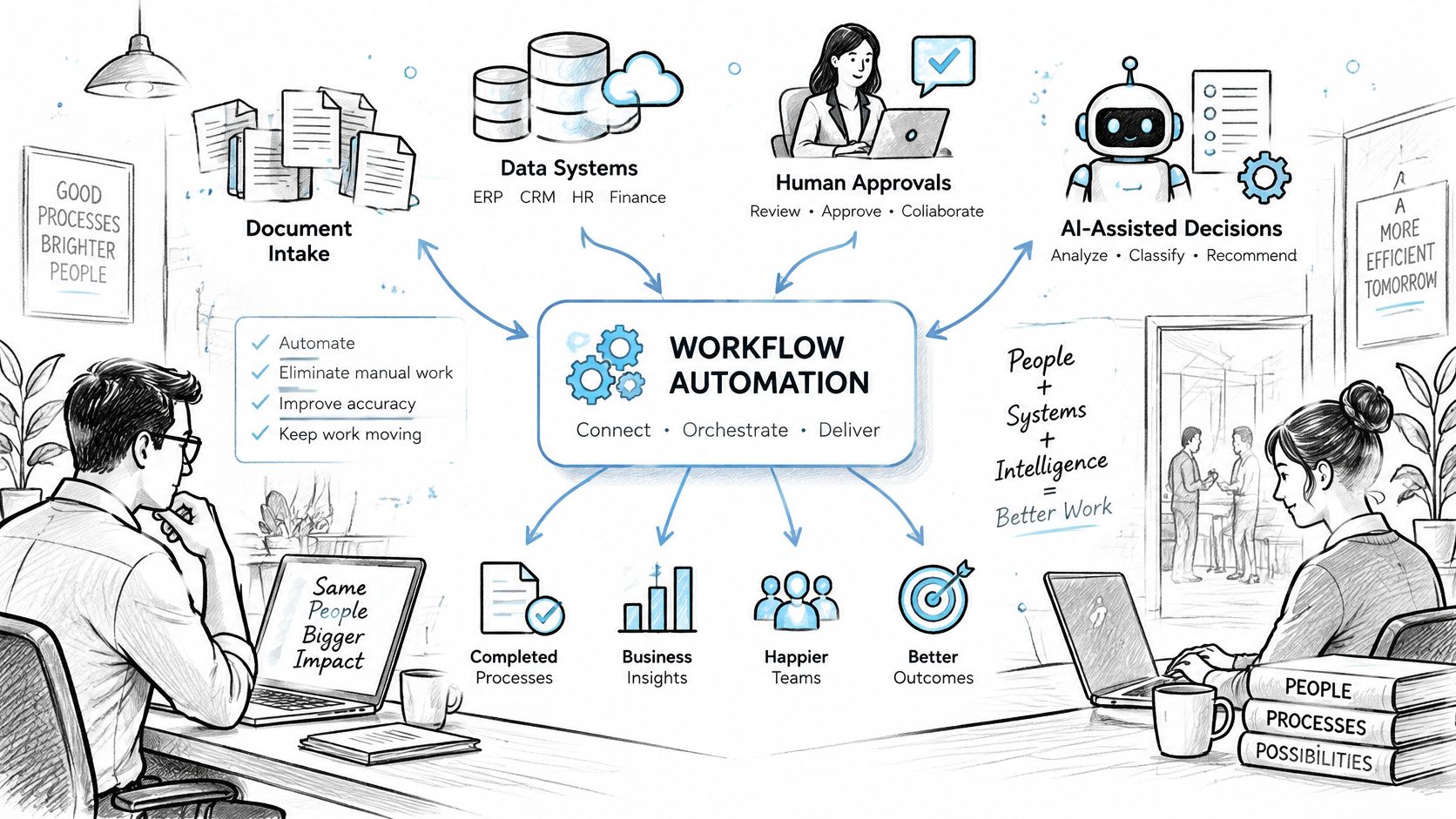
Three capability layers take in different things, produce different things, and fail in different ways. The last column is the one that matters, because it describes what your exception queue will contain and how much supervision the step needs.
| Layer | Typical input | Output | Human role | Characteristic failure |
|---|---|---|---|---|
| Rules-based automation and RPA | Structured fields or fixed screen layouts | Deterministic writes and routing | Designs rules and handles exceptions | Breaks when fields, screens or rules change |
| AI document and request handling | Unstructured documents, emails and free-text requests | Extracted fields, categories and drafted replies | Reviews low-confidence outputs and samples accuracy | Confident errors on unfamiliar document formats |
| AI agents across systems | Requests plus tool access to several systems | Multi-step actions and updates to records | Approves consequential actions before execution | Wrong action taken with valid permissions |
AI expands what a workflow can absorb, and it changes the supervision model with it. Rules-based automation and RPA execute fixed steps through APIs or simulated interface actions, and their failures are mechanical: a field moves, a screen changes, a threshold is edited and nobody re-runs the test suite. AI that reads documents, classifies requests and drafts responses produces probabilistic output, so it needs confidence thresholds, accuracy sampling on real cases and a defined route for anything below the line. Moving to AI workflow automation at the agent level adds a different risk, because the software calls tools across systems and takes the actions itself. That requires scoped permissions per integration and an approval gate before any consequential write, which is the working subject of our notes on AI agent architecture.
That failure column is also where ownership gets decided. Someone has to own what lands in each queue: the person who fixes a broken selector, the reviewer who sets the confidence threshold and reads the accuracy sample, the approver who signs off on an agent's write before it commits. If nobody is named before launch, low-confidence outputs pile up, retries run against stale data, and the sampling that was meant to catch drift becomes a report nobody opens. Capture the manual process first, including cost per case, cycle time and error rate. Those numbers are the denominator for whatever the automation is later claimed to save.
The rule I would apply to a new process: deterministic automation where the rules are complete and the inputs are structured, AI where the inputs are unstructured and the output can be verified against something, and agent actions only where they are reversible or explicitly approved.
Selection decides whether the program gets a second workflow or a post-mortem. Six criteria do most of the work, and the sixth one, ownership, is the one teams leave out because it looks like an organizational question rather than an engineering one. It is the engineering question, because the process owner is the person who updates the rules when the business changes them.
Volume. Pull case counts and staff minutes per case for a recent quarter. A few hundred cases a year at four minutes each does not justify a build, however irritating the work feels to the people doing it.
Rule completeness. Sample recent cases and count the share that were resolved by a decision you can write down. A process where most cases follow written policy is cheap to automate; one where the decision depends on undocumented judgment is not a candidate yet, whatever the volume.
Exception rate. Exceptions divided by total cases in the sample, not an estimate from memory. A workflow that routes a third of its cases to manual handling keeps the manual team after automation, and now keeps it with a queue to manage as well.
Data quality. Field completeness in the source systems and the rate at which identifiers match across them. Vendor identifiers that don't reconcile between procurement and the ledger become a matching exception on every invoice.
Risk. What one error costs. Reversible, low-consequence errors can be automated early with monitoring behind them. Errors touching payment amounts, legal obligations or safety get approval gates and a slower path to production.
Ownership. A named person who can change the process, approve its rules and take responsibility for the exception queue.
| Criterion | Favorable profile | Unfavorable profile | How to measure |
|---|---|---|---|
| Volume | Frequent, repeated cases with material manual cost | Rare or irregular cases | Case count and staff minutes per case over a recent period |
| Rule completeness | Most cases follow documented decisions | Decisions depend on undocumented judgment | Share of sampled cases resolved by written rules |
| Exception rate | Low and well understood exceptions | High share routed to manual handling | Exceptions divided by total cases in a sample |
| Data quality | Required fields present and identifiers reconcile | Missing fields and duplicate records | Field completeness and match rate across source systems |
| Risk | Errors are reversible and low consequence | Errors create legal, financial or safety impact | Consequence rating agreed by the process owner |
| Ownership | Named owner who can change the process | No owner or owner split across departments | Documented owner and approval authority |
The same scoring works across functions. Finance invoice intake that has to be matched to purchase orders scores well when the purchase order reference is present on most documents. HR onboarding document collection has volume and written rules, but usually needs a data check first, because identity fields arrive in inconsistent formats. Customer operations routing by category can look perfect on volume and collapse on rule completeness when the category definitions live only in the heads of the senior agents. IT service requests such as access resets and equipment orders often score highest of all, because the rules are documented and the target systems expose APIs.
A good first step is a pilot chosen to deliver a quick win before anything scales across the organization, which is also how the workflow strategy and discovery phase frames the decision.
The failure modes at this stage are predictable. Starting with a process that has a high exception rate guarantees the automation inherits the mess. Automating a process nobody owns produces a system that drifts out of date within two rule changes. Automating a decision with legal or safety consequences puts an audit finding on a schedule. And automating before the steps are documented hides the process inside the code.
Automation makes an existing process fail at the speed you built into it. Fix the rules first, or pick the adjacent process with cleaner inputs and come back.
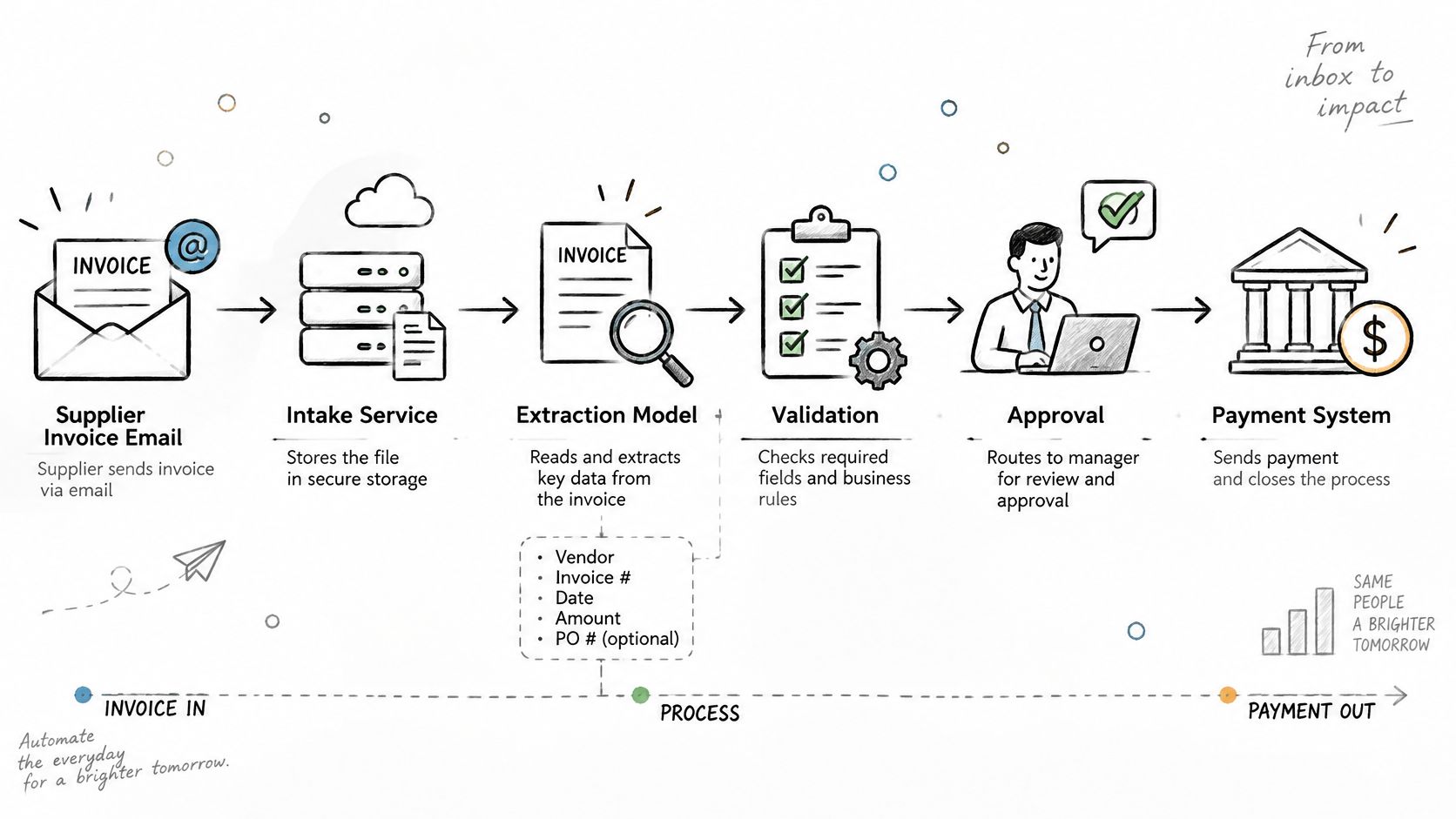
Take a hypothetical invoice workflow to see the parts in order. A supplier emails a PDF invoice to an accounts payable address. An intake service stores the file, computes a content hash and starts a case. An extraction model returns amounts, dates, line items, a purchase order reference and a confidence score per field. The integration layer validates the vendor identifier against the ERP's API and pulls the purchase order and the goods receipt so a three-way match can run. The orchestrator moves the case through explicit states, received, extracted, matched, approved and posted, and holds it at whichever state fails a check.
Anything below the confidence floor routes to a reviewer with the extracted values, the source document and the reason the match failed. Approval posts the invoice write with an idempotency key derived from the case ID and the vendor, so a timeout followed by a retry returns the original result instead of creating a second payable. A rejected match triggers a compensation step that releases the reservation rather than leaving the case half-posted.
The scaling problem is structural rather than vendor-specific. EnterpriseOps-Gym, an enterprise agent benchmark from ServiceNow Research and Mila, models 1,150 tasks across eight domains such as HR, IT service management and customer service, with tasks of up to 34 steps across 512 tools and 164 database tables. Every additional step is another dependency, another failure boundary and another opportunity for inconsistent state, which is why integration design and verification controls dominate the engineering effort as workflows grow.
| Layer | Responsibility | Design element | Failure to watch for |
|---|---|---|---|
| Triggers | Start a case from an event, schedule, form or message | Event schema and deduplication | Duplicate starts from repeated events |
| Integration layer and APIs | Read and write systems of record | Canonical data contracts and idempotency keys | Duplicate posts after timeouts |
| Orchestration | Move cases through states and handle dependencies | State machine, retries, timeouts and compensation | Stuck cases with no owner or timeout |
| AI models | Extract, classify and draft | Pinned model versions and confidence scores | Confident errors on new formats |
| Human-in-the-loop review | Decide low-confidence and high-risk cases | Review queue with service-level targets and reason codes | Queue backlog that hides failures |
| Audit logging | Record who or what acted and why | Immutable event store with correlation IDs | Logs that omit the decision path |
| Monitoring | Detect drift, latency and reconciliation gaps | Dashboards and alerts per step | Alerts that are never reviewed |
Two design habits keep the rest honest. First, define the state machine and the failure semantics before you introduce AI or human review, because a model added to an undefined process produces failures you can't reproduce. Second, record a reason code on every override, so the queue becomes a data source for improving the rules rather than a place where cases age.
Ekipa's workflow automation services build the orchestration layer around exactly these states, and the operational side usually needs its own tooling: a reviewer console, a queue view, a reconciliation report. That console is often where the value shows up first, which is why we treat internal tooling as part of the workflow rather than an afterthought. Our integrations connect to the ERP, CRM, HR and industry platforms an organization already runs through their APIs and connectors, and those systems stay as the record.
Workflow Automation
Ready to automate a cross-system workflow?
We build production-grade automation that connects your systems of record, routes exceptions to people and logs every action.
Workflow Automation
Ready to cut manual work in your workflows?
We build production-grade automation that connects your systems of record, routes exceptions to people and logs every action.
Control over logic is the first difference. A build puts the rules, state machine and thresholds in your repository, where your team changes them on your release cadence. A purchased platform gives you a configuration model, which is faster to start and narrower in what you can express. Automation as a service, where a provider builds and operates defined workflows for you under a service agreement, moves both the logic and the operation outside your team, and that is a reasonable trade only when you can write down what you expect in a contract.
Integration ownership is where budgets move. Building means maintaining connectors, contract tests and the version churn of every API you touch. Buying shifts runtime to the vendor but leaves mapping, data contracts and reconciliation inside your organization. A service arrangement puts connector upkeep on the provider, while you keep ownership of the data definitions those connectors depend on.
Timelines differ enough to change sequencing. In our estimates, straightforward workflow automation such as approvals or document handling can be set up in a few weeks, while more complex projects that integrate multiple systems or deploy AI in healthcare or finance take a few months. Those are our own estimates from scoping this work, not industry benchmarks, and they assume the process itself is documented.
Run and maintenance is the part most business cases underprice. Models get deprecated, API versions retire, and thresholds drift as volume changes. Change control matters as much: on a build, a rule change is a pull request with a review; on a platform, it's a configuration update that may bypass review entirely unless you put one in place. Exit options belong in the same conversation, because a workflow definition and its audit history are assets you need to take with you. If the provider can't export forms, workflow definitions and logs in a usable format, you don't own your process.
The middle path many teams land on is automation as a service for a defined set of workflows, with the internal team keeping the process rules and the exception queue. We describe that engagement model in our notes on the AI automation agency approach and in the AI automation as a service offering, and our implementation support work covers the integration and rollout side once a decision is made.
Before signing anything, put four questions to the provider:
Who fixes a connector when the upstream API changes, and how long does that take under the agreement?
Who owns the prompts and the pinned model versions, and how are changes to them approved and logged?
How do we export logs and audit records, in what format, and how complete are they?
What happens to the data at termination, including retention, deletion and evidence of deletion?
The NIST AI Risk Management Framework 1.0 (NIST AI 100-1) organizes AI risk work into four functions that map cleanly onto a workflow. Govern covers policy, roles and accountability. Map covers the context of use, including what the workflow decides and who is affected. Measure covers testing, evaluation and monitoring against defined thresholds. Manage covers response: rollback, escalation and retirement. Applied per component rather than per program, they turn governance into something an engineer can build.
Access control starts with distinct roles for designers, approvers and operators, then continues into service accounts. Each integration gets its own account with least-privilege scopes and a periodic review, because a shared admin credential across four connectors means one leaked key compromises four systems. Approval gates before any agent writes to a system of record are the other half.
Data protection means minimizing the personal or confidential fields sent to a model, setting retention limits for prompts, outputs and logs, encrypting in transit and at rest, and restricting the regions where data crosses borders. Model risk means an inventory of every model and version in each workflow, an evaluation set drawn from real cases with written acceptance thresholds, drift monitoring on exception and override rates, and a rollback path to the previous version or to manual handling. Agents that read untrusted documents or web content need prompt-injection testing before they get write access, not after.
| Control | Scope | Evidence | Owner |
|---|---|---|---|
| Role-based access (Govern) | Designers, approvers and operators | Access review records and approval logs | Security and process owner |
| Service account scopes (Govern) | Each integration | Scope list and periodic permission review | Engineering |
| Approval gates for agents (Govern) | Consequential writes | Gate configuration and approval records | Process owner |
| Data minimization and retention (Map) | Prompts, outputs and logs | Data flow diagram and retention schedule | Compliance and engineering |
| Model inventory and versions (Measure) | Every model in each workflow | Inventory with version history | Engineering |
| Evaluation and acceptance thresholds (Measure) | Each model and prompt change | Evaluation report on real cases | Process owner and engineering |
| Drift and override monitoring (Manage) | Exception and override rates | Dashboard history and alert test results | Operations |
Every model in a live workflow is a versioned dependency. If you can't name the version and the evaluation set behind it, you can't roll it back.
Where electronic protected health information is processed, HIPAA adds obligations on top of this. The Security Rule technical safeguards at 45 CFR 164.312 require access controls, audit controls, integrity controls and transmission security for ePHI, and those requirements reach every automated read, transformation, routing decision, retry and administrative action. They apply only where ePHI is in scope. Our healthcare workflow automation article covers the audit event design and the evidence that satisfies those controls.
A baseline taken after go-live measures nothing. Capture the current process before automation, over a period that includes a normal volume peak, using the same definitions the automated version will report against. That last clause is where most measurement breaks: if the manual process counts a case as closed when the requester is notified, and the automated process counts it closed when the record is written, the improvement you report is a definition change.
| Metric | Definition to fix before launch | What it catches |
|---|---|---|
| Cycle time | Median and 90th percentile hours from trigger to closed | The tail, where the real cost sits |
| Touch time | Staff minutes per case summed across all handlers | Work moved to reviewers rather than removed |
| Rework rate | Share of cases returned for correction | Extraction and matching quality |
| Backlog age | Age of the oldest open case per queue | Queues that hide failures behind averages |
| Exception rate | Cases routed to manual handling divided by total | Whether the workflow handles reality |
| Cost per transaction | Fully loaded labor plus platform cost per case | Whether the case got cheaper overall |
| Audit findings | Findings per period from internal or external review | Control drift the operational metrics miss |
| Requester satisfaction | Survey score from requesters or customers | Whether speed came from cutting corners |
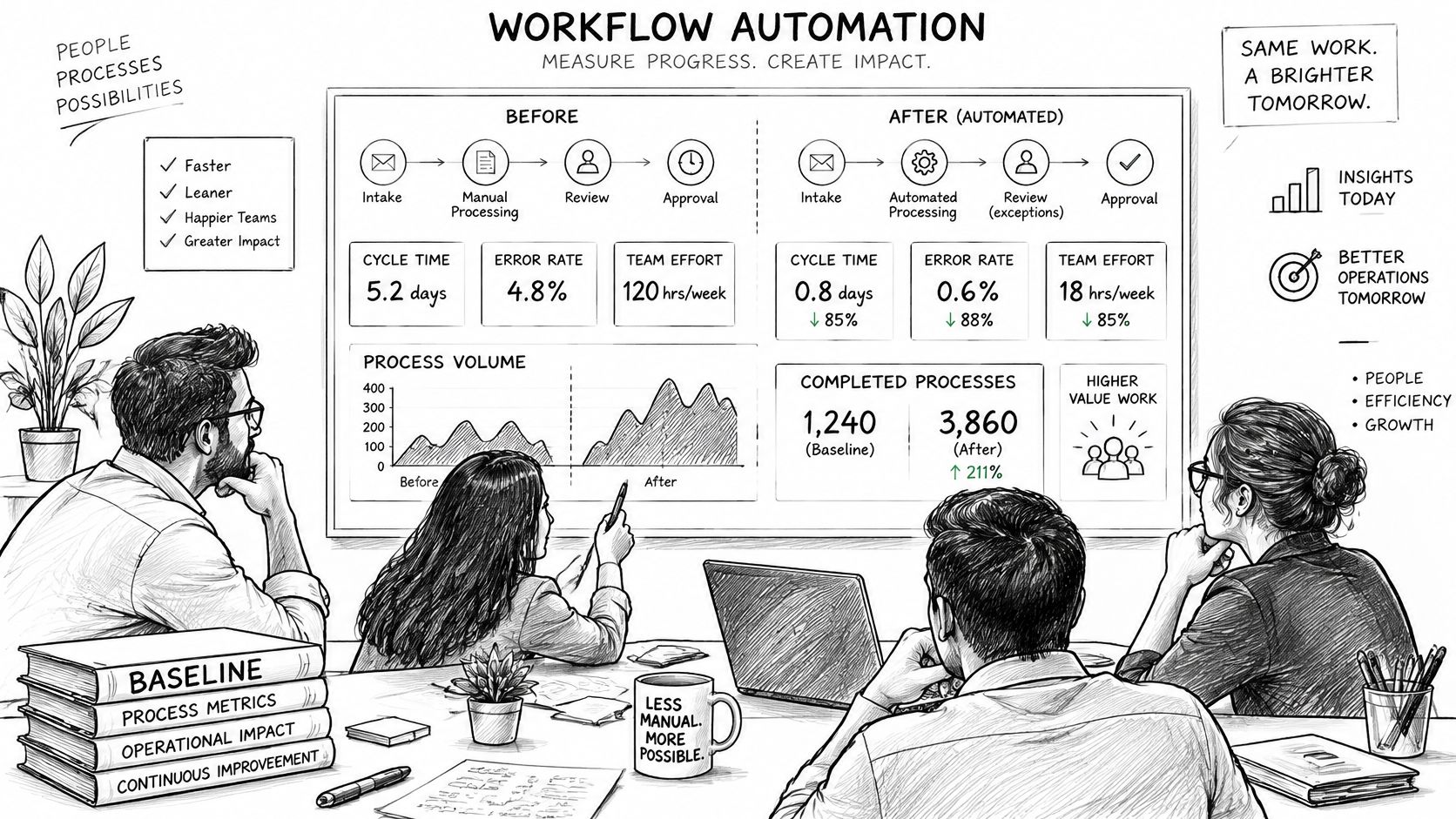
Split results into automated and manual cohorts so the comparison stays clean, and report exception cases separately because they often carry most of the remaining cost after automation. A workflow that halves cycle time for the easy 70% and leaves the hard 30% untouched has improved a number without improving the process, and the exception cohort is where you find that out.
Hours saved only count when the capacity is redeployed or removed from the budget. A finance team that closes the same invoices with three fewer people of work per day, and then hires the same three people back for exception handling, has gained resilience and lost money. Track the redeployment in the same review as the cycle time.
Scale after the metrics hold for a full business cycle, not after one good month. Volume seasonality, a new document format or a system upgrade will move exception rates, and a workflow that only survives steady state is not in steady state for long.
Related reading: our guide to AI business automation, healthcare workflow and process automation and the AI strategy and implementation guide.
The first 90 days after go-live decide whether an automated workflow stays reliable. For the owner of a newly automated process, the checklist looks like this:
Week 1: Review every exception by hand to learn what the automation rejects and where escalations land.
Day 30: Confirm thresholds hold under real volume and that each escalation reaches a person who can act on it.
Day 60: Re-check the rules against current policy, upstream API changes and new document formats, because connectors and inputs drift.
Day 90: Move the workflow onto a standing review that covers the rules, the exception queue and the evaluation set.
Maintenance does not end after that point. Model versions retire, thresholds drift as volume shifts, and policy changes make rules stale, so the owner and the review cadence stay assigned for the life of the workflow.
Ekipa offers workflow automation, implementation support and use case discovery workshops for teams scoping a first workflow, and you can book a consultation with Ekipa's automation engineers to walk through the exception path and ownership model for the process you have in mind.
RPA executes fixed steps, usually against structured data and often through the user interface, so it breaks when a screen or a field changes. AI workflow automation handles unstructured input such as documents, emails and free-text requests by extracting, classifying and drafting, and it returns probabilistic output that needs confidence thresholds and sampling. Most production systems combine both, with deterministic automation running the routing and AI handling the interpretation.
A high-volume, rules-heavy, document-driven back-office process with a named owner and a measured exception rate. Invoice and document intake, request routing, re-keying data between systems and status updates are the usual starting points because volume and manual cost are visible and the rules can be written down. In healthcare administration, referral intake and eligibility checks fit the same pattern.
No. Modern workflow automation connects to ERP, CRM, HR and ticketing systems through their APIs and connectors, and those systems stay as the systems of record. The workflow layer owns the process state, the approvals and the history, while the systems of record keep owning their data. Replacement only enters the conversation when a source system has no API and no usable integration path.
Representative end-to-end audit records, access review results, evaluation reports run on real cases, alert test results and a completed incident-response exercise. A screenshot showing that logging is enabled proves nothing, because the control requires mechanisms that record and examine activity, not just write lines to a file. The NIST AI Risk Management Framework's Measure and Manage functions give the structure for what to test and what to do when it fails.
Only for low-consequence, reversible actions with monitoring behind them, such as drafting a reply, tagging a record or retrieving a status. Consequential writes, including payments, record changes and anything that affects a customer or patient outcome, should keep an approval gate. The gate is cheap to run and it's the difference between an agent that saves time and an agent that creates an incident you have to explain.
The full journey from AI strategy to scaled implementation in four stages: align and assess, choose and plan, prove and build, govern and scale.

Explore how AI in healthcare industry is reshaping clinical and operational workflows. Learn use cases, ROI, regulation, and a practical roadmap

What enterprise-grade means for a healthcare AI platform: BAAs, security, reliability, integration, governance, monitoring and portability, plus RFP questions.
Connect with our team to explore how AI expertise can transform your business.