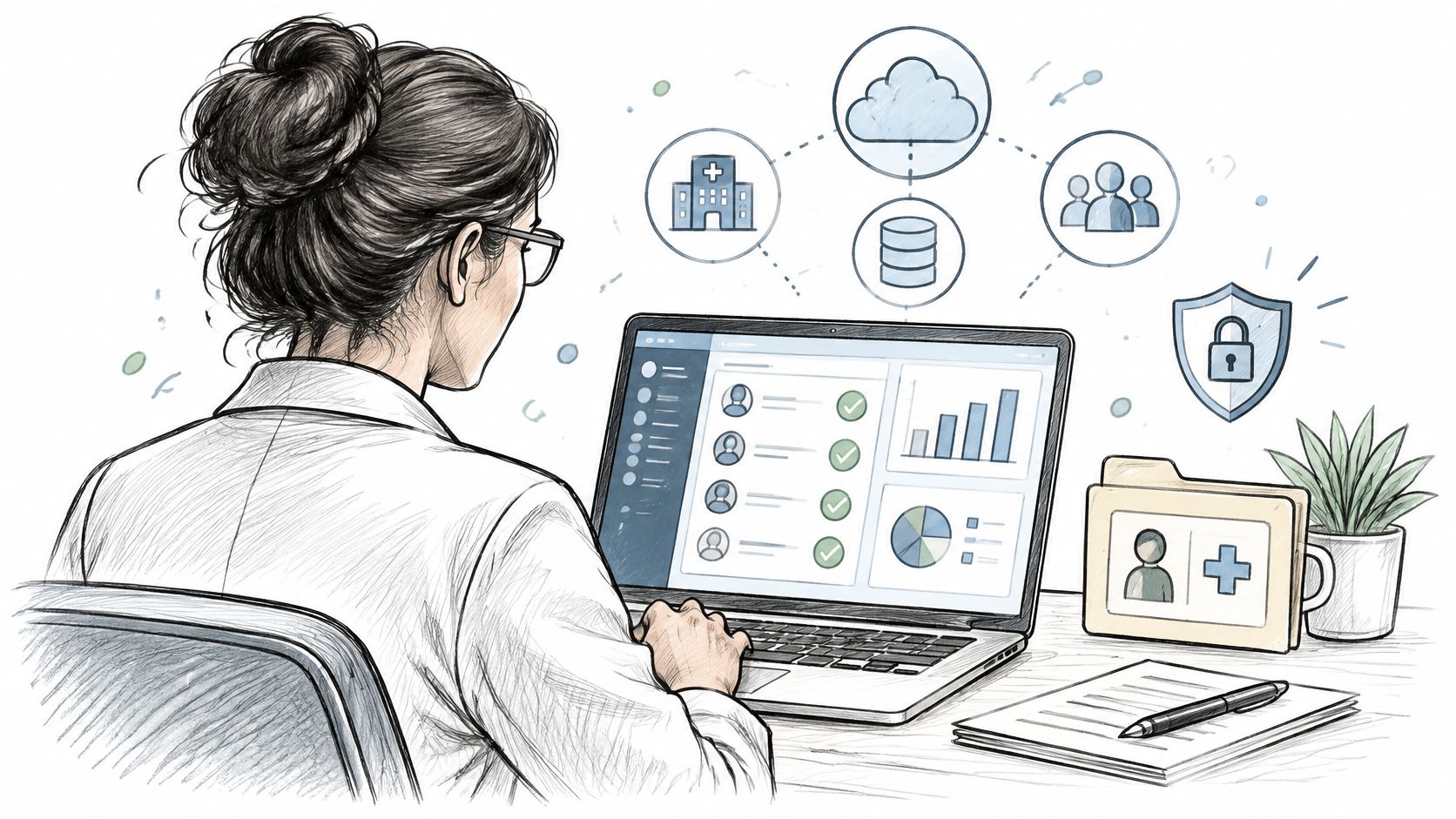
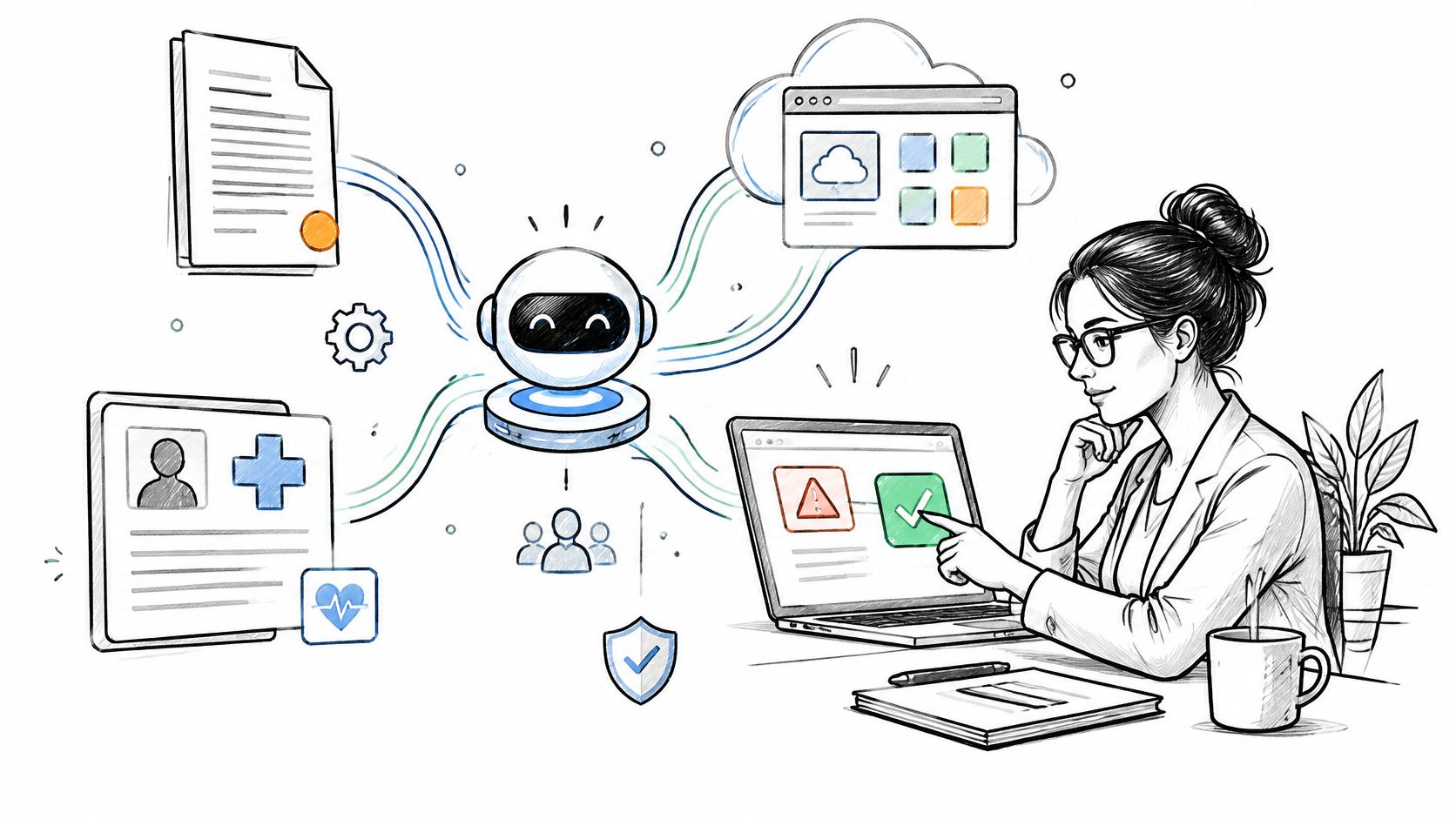
Under 45 CFR 164.312, any system that creates, receives, maintains or transmits electronic protected health information has to enforce technical access controls and keep audit controls, and that obligation attaches to the data rather than to how the software was bought or built. A shared spreadsheet holding patient records sits inside that scope, and so does the internal dashboard an operations analyst opens every morning. Teams requesting internal tools development usually start with the screen they want built, and the work that decides whether the tool survives production is data identity, permissions, write-back and post-launch ownership.
What internal tools are and when you need one
An internal tool is software your own staff use to do their work, reading and writing data that already lives in your systems. That covers admin panels, dashboards, approval workflows, data entry and review tools and knowledge assistants. The shape matters less than four things: the workflow it supports, the person accountable for it, the data it touches and the actions it is allowed to take.
The cost that justifies building one hides in ordinary weeks. The business case is recovered staff time, and it only holds when the tool removes work from a high-frequency process rather than adding another interface to check.
Five tool types and the workarounds they replace
| Tool type |
What it does |
Workaround it replaces |
Typical data sources |
| Admin panel |
Lets authorized staff view and edit records by role |
Direct database edits or a shared sheet with edit rights for everyone |
Operational database, identity provider |
| Dashboard |
Shows read-only metrics and status across sources |
Weekly manual exports merged in a spreadsheet |
Reporting database, scheduling system, billing exports |
| Approval workflow |
Routes a request through named reviewers and records each decision |
Approval emails and forwarded attachments |
Request records, user directory, document store |
| Data entry and review tool |
Captures structured input with validation and a review queue |
Re-keying data from forms, PDFs or messages |
Source documents, system of record for write-back |
| Knowledge assistant |
Answers staff questions from approved internal documents |
Searching shared drives and asking colleagues |
Policy library, procedures, document management system |
Five symptoms tell you the workaround has outgrown its design:
Duplicate entry: the same record is typed into two systems because neither one owns the field.
Hand reconciliation: someone merges exports every week to answer a question that should be automatic.
Approvals by email: a decision exists only in a mailbox, with no durable record of who approved what and when.
One person holds the process: the only working copy of a rule lives in one employee's head or laptop.
Errors surface late: mistakes appear in billing or reporting weeks after the entry that caused them.
A sixth signal is quieter. Staff start asking an engineer for every new report, which turns your delivery team into a reporting desk and stalls the roadmap.
The request that looks small is usually the one with actual complexity. Someone asks for "just a dashboard" or "a simple form", and behind it sit three systems with different patient identifiers, different permission models and different update cycles. Sometimes the form also has to write back to a system of record. That write-back is where estimates break, and it's the part of workflow automation design that consumes the most time before any interface work starts.
Choosing between SaaS, low-code and custom builds
Three delivery paths cover almost every internal tool, and the difference between them shows up in who owns the code, the data model and the evidence trail. Off-the-shelf SaaS is a product the vendor operates inside its own data model and release schedule. A low-code builder is a platform where your team assembles forms, tables, approvals and connectors, dropping into code for the parts the platform doesn't cover. Custom development means your engineers write and host the application, the connectors and the permission model.
| Criterion |
Off-the-shelf SaaS |
Low-code builder |
Custom development |
| Time to a first usable version |
Days to weeks for standard patterns |
Days to weeks for forms, tables and approvals |
Weeks to months, depending on integrations and identity |
| Cost pattern |
Subscription, often priced per user; cost grows with headcount |
Platform subscription plus builder time; cost grows with the number of apps |
Engineering time and hosting up front; no per-seat fee |
| Flexibility |
Limited to the vendor's data model, workflows and roadmap |
Strong for standard screens; harder for complex logic and high-volume writes |
Bounded by engineering scope and your architecture |
| Security and compliance evidence |
Depends on vendor audit logs, security documentation and business associate terms |
Depends on platform SSO, role and logging controls; verify each |
Full control over access rules, logs and retention; your team produces the evidence |
| Maintenance |
Vendor handles upgrades; your team manages configuration |
Vendor handles platform upgrades; your team maintains app logic and connectors |
Your team owns code, dependencies, hosting, incident response and upgrades |
The table answers the general question. The specific one gets decided per workflow, and often per screen inside a workflow.
Buy when the workflow is standard, a product meets your security requirements and the vendor will sign a business associate agreement where PHI is involved. Build when the workflow is specific to your organization, needs deep integration with systems you control, or carries part of what makes your service different. Low-code sits in between, strong for forms, tables, approvals and basic dashboards, weak once branching logic, high-volume writes or custom identity requirements arrive.
Custom builds carry a ramp-up cost that lands in delivery metrics before it lands in user satisfaction. DORA's 2024 research found that platform engineering can improve individual developer productivity, team performance and organizational performance, but that immature implementations may temporarily reduce delivery performance and change stability. Plan for that dip by starting with one high-friction workflow and measuring delivery outcomes before expanding scope.
Integration usually decides the question. Matching patient and encounter identifiers across the EHR, scheduling and billing, reconciling update cycles so a record written at 9:04 isn't overwritten at 9:06, and writing back without creating duplicates are the costs that make a simple tool expensive. Where the EHR exposes FHIR R4 interfaces, confirm the resource types and SMART scopes against that vendor's own implementation documentation instead of assuming a generic conformance statement applies.
Evidence is the other deciding cost. NIST's Secure Software Development Framework recommends toolchain automation to reduce human effort and improve the accuracy, reproducibility, usability, and thoroughness of security practices, and to let organizations document and demonstrate that those practices occurred. A SaaS product hands you its security documentation. A custom build makes you the author of that record, along with the access reviews, test results and release artifacts it implies.
For teams building or operating SaMD, the boundary extends further. FDA's statutory cybersecurity requirements for cyber devices under section 524B of the Federal Food, Drug, and Cosmetic Act took effect on March 29, 2023, and require a premarket submission to include a plan to monitor, identify and address postmarket vulnerabilities, plus processes for security updates and patches (FDA medical device cybersecurity resources). Supporting services and update infrastructure sit inside that design boundary, so an internal tool that builds, signs or distributes device software inherits obligations a bought dashboard can't carry for you.
Most of this work is integration and permission design rather than interface work, which is what our internal tooling practice concentrates on.
How AI changes internal tools and what to safeguard
AI added four capabilities to internal tools that previously required a person. Document extraction turns scanned forms and PDFs into structured fields. Search over company knowledge retrieves from approved documents. Drafting produces a first version of a message, summary or note for someone to edit. Staff copilots suggest the next action inside a workflow. Each one earns its place only after you design for its specific failure.
An extracted value gets saved without anyone checking it against the source page. A search result surfaces a document the user is not permitted to read, because the index was built with broader permissions than the reader. A draft states something the source never said and is pasted into a record anyway. A copilot sends data outside the approved boundary.
The NIST AI Risk Management Framework gives you the structure to assign this work. It is voluntary guidance, and its four functions, Govern, Map, Measure and Manage, map onto decisions you have to make regardless: who is accountable for the feature, what context and users it covers, how you test it, and how you monitor it after release. Govern is the function that gets skipped, and it determines whether anything else holds.
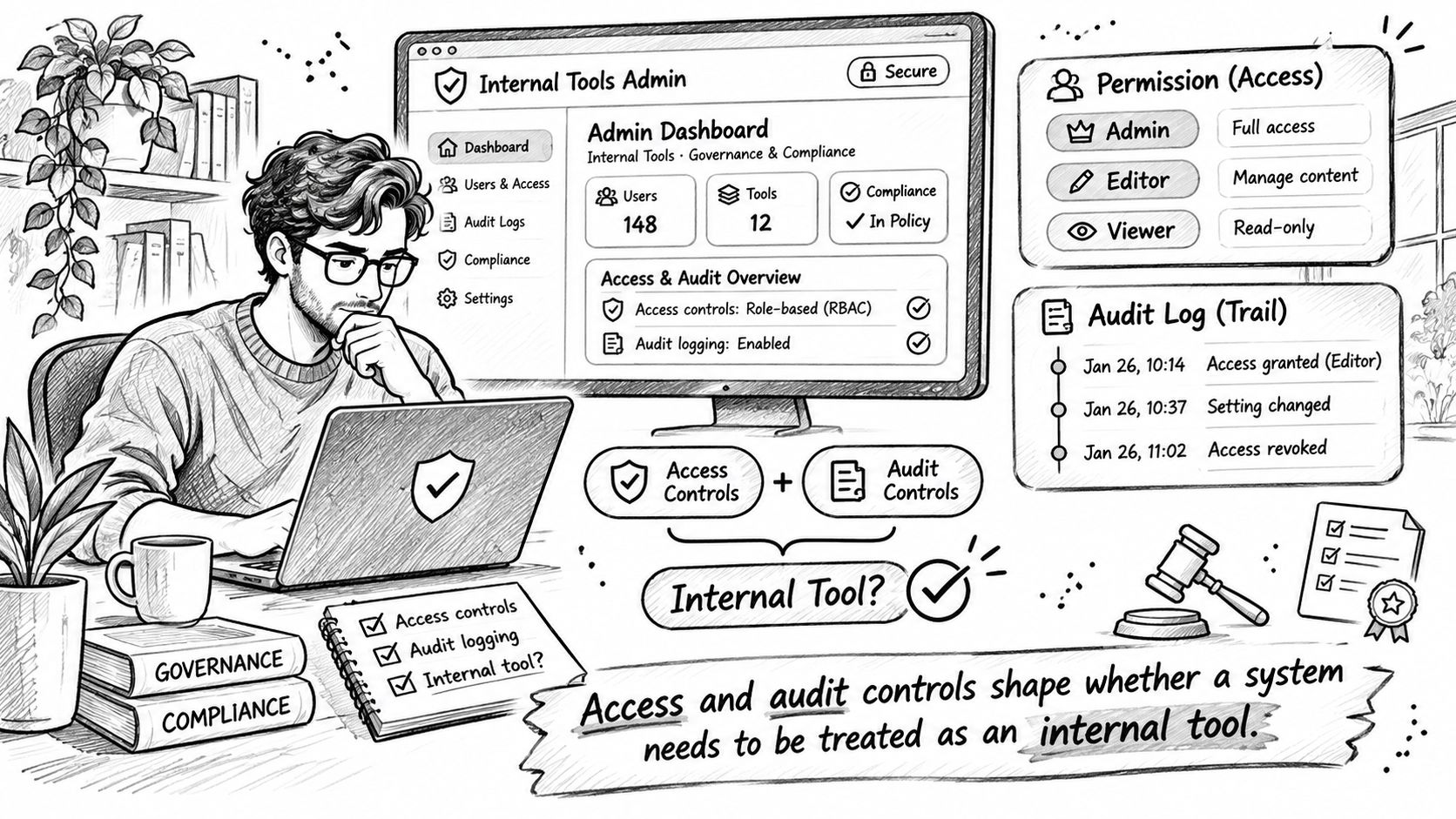
For anything touching ePHI, the baseline does not move. 45 CFR 164.312 requires technical access controls that restrict system access to authorized people or software programs, including unique user identification and documented emergency-access procedures, plus audit controls that record and examine activity in systems containing ePHI. Engineering implements identity, authorization and immutable log pipelines. The covered entity or business associate defines permitted access and validates that the controls operate as intended.
Retrieval needs one more rule than the regulation spells out. Check a document's permissions at query time, not at index time, because a user's roles change and an index built last quarter reflects last quarter's access.
| Control |
Risk addressed |
Owner |
Evidence to keep |
| Unique user identification and role-based access |
Shared logins and access beyond job need |
Engineering implements; process owner defines roles |
Role-to-permission mapping and periodic access reviews |
| Audit logs for reads, writes and exports |
Undetected misuse and unclear record changes |
Engineering with compliance |
Sample audit events and log review records |
| Document-level permission checks in retrieval |
Search returns content the user may not read |
Engineering |
Test results showing denied retrieval for restricted documents |
| Break-glass emergency access |
Work blocked during incidents, or uncontrolled bypass |
Operations owner with compliance |
Written procedure and emergency access logs |
| Data protection for prompts, outputs and logs |
PHI leaving the approved boundary or persisting in logs |
Engineering and privacy compliance |
Data flow diagram and retention settings |
| Human review of AI output before record changes |
Unsupported extraction or drafts accepted as fact |
Process owner |
Review sampling results and error rates by output type |
| Change control for model and prompt updates |
Silent behavior change after an update |
Engineering |
Version records and regression test results before release |
Review is the control that pays for everything else, and it is the first thing squeezed when a build runs over budget. The survey figures above show deployment outpacing policy; inside a project, the same skew shows up as a review queue no one owns. Fix it in the design: name which outputs require sign-off before they write back to a system of record, then sample reviewed outputs monthly and report error rates by output type, so extraction accuracy and drafting accuracy are judged separately. Automate the task, keep the approval, and feed the reviewed output back as the correction signal for the next release. That sequence holds whether you build in-house or bring in outside AI automation support.
A deliberately constrained tool with explicit handoffs beats a highly autonomous one in clinical operations, because the failure mode of autonomy is a silent wrong value in a record someone else relies on.
Internal Tooling
Need an internal tool your team will actually use?
We build secure internal tools and AI assistants that connect to your systems, with access controls and audit logs built in.
Internal tools development step by step
Six steps get a tool from a messy workaround to something a team uses without being reminded. The sequence holds up in regulated environments because each step produces evidence a reviewer can check later: who mapped the process, who approved the permissions, and what changed at go-live.
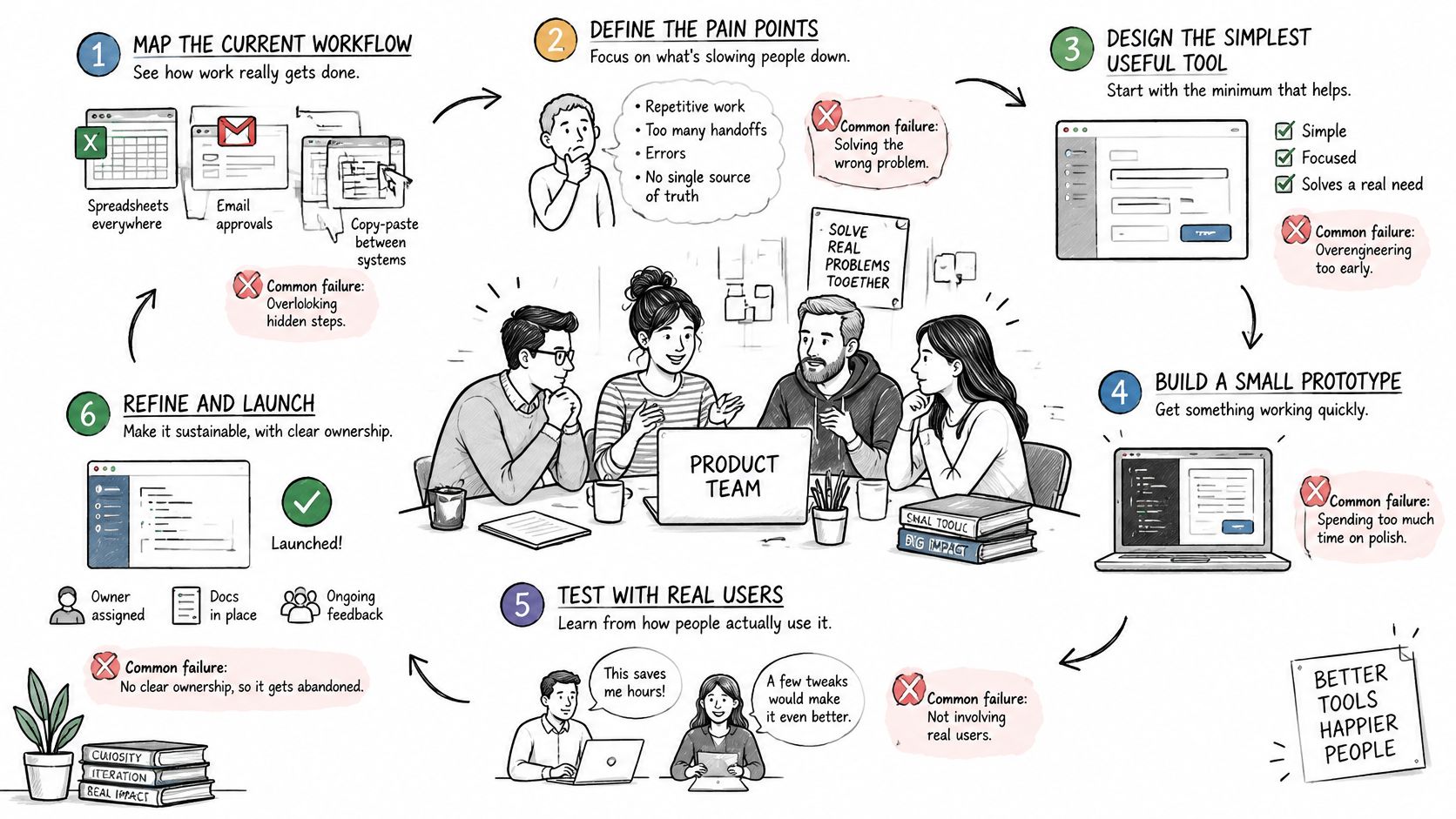
Map the workflow as it runs today. Record every spreadsheet tab, email approval and copy-paste between systems, along with inputs, outputs, decision points and handoffs. Capture the baseline here, before any build work, because the measurement that follows needs a pre-launch sample the same method can reproduce. Map the process people perform rather than the process as documented; the gap between the two is where most tools go wrong.
Define users and permissions by role. Map each role to the steps it performs and the fields it may read or write, including who can export and who can correct a record after submission. Skip this and you end up with a single admin role everyone shares, which destroys the audit trail before the tool has one.
Connect data sources through their APIs or exports. Inventory each system of record, its identifiers, update frequency and access method, then decide which system owns each field. Where the EHR offers FHIR R4 endpoints, check resource types and authorization scopes against the HL7 FHIR specification and the vendor's implementation notes. Identifiers rarely match across systems, and write-back conflicts appear the first time two systems update the same field, so one system has to win by rule rather than by timing. Assistants that answer questions over this data need the same grounding discipline. Our guide to choosing between fine-tuning and RAG covers the retrieval side.
Build the minimum viable product for the highest-frequency path only. One write-back path, logging switched on from the first release. The scoping approach behind building an MVP with AI consulting support applies directly here: cut every edge case out of version one, because a scope that covers everything ships nothing.
Test with real users on sandbox or copied data. Watch them work rather than asking whether they like it, and log every workaround they still reach for. Staff abandon internal tools for predictable reasons: more clicks than the old workaround, a poor fit with the day-to-day workflow, slow performance, missing data and no owner after launch. Each of those is cheap to fix before rollout and expensive to fix after.
Roll out to one team and name an owner for fixes. Keep the old workaround available for a short overlap, then expand only after that team stops using it. We design tools to fit the systems and workflows a client already runs, because a tool that requires the operation to reorganize around it rarely gets adopted. When the integration surface is larger than the team can absorb, implementation support covers the connection work without pausing the rest of the roadmap.
Measuring time saved against a baseline
Hours saved per week is the weakest number on the dashboard. Time rarely disappears; it moves into exception queues, rework and second-system lookups. A tool that halves data entry time while generating a correction queue has shifted the work, and a report tracking only the task itself will call that a win. Measure the whole workflow, then decide whether the saving is real.
| Metric |
How to capture it |
Baseline source |
| Time per task |
Timed sample or system timestamps over one to two weeks |
Pre-launch observation of the same task |
| Manual touches per task |
Step count from screen recording or click logs |
Pre-launch recording of the existing workaround |
| Error or rework rate |
Corrections per 100 records, from the review queue |
Audit of a recent sample of completed records |
| Backlog age |
Items open beyond the target turnaround, from the queue report |
Queue report exported before launch |
| Duplicate entries |
Records entered in more than one system, from reconciliation logs |
Reconciliation log for the same period |
| Staff hours on exceptions |
Logged hours on escalations and corrections |
Timesheet or task log sample before launch |
Every row pulls from records the operation already produces. The discipline is publishing them at fixed intervals and refusing to cherry-pick the flattering one.
Take a hypothetical operations team that reconciles scheduling exports against billing by hand: about 60 records a week, at a measured average of 12 minutes per record, a 12-hour weekly cost. They map the reconciliation steps, define two write paths, and build a tool that matches records by identifier and sends mismatches to a review queue. The post-launch sample is taken the same way as the first, and exception hours are reported beside task time, because that is where the hours went if they went anywhere.
Reported success varies by use case, which is why a generic return-on-investment promise is worthless. A 2025 survey of 43 health systems found 53% reported a high degree of success with AI for clinical documentation, while reported success was much lower for several other use cases. If entry time falls while staff absorb a correction queue the tool created, the net saving is smaller than the headline. For teams working on regulated data, the capture sources double as part of the record: the review queue audit, the reconciliation log and the timesheet sample are evidence to keep, so a change in the number can be attributed to the tool itself and not to a shift in volume.
Conclusion
Three implications matter more than any interface decision. An internal tool that reads or writes regulated data is a governed system, so its access rules, audit logs and named owner belong in the design before the first screen. Build-or-buy is settled per workflow, and integration work (identifiers, update cycles, write-back, permissions) drives the cost far more than the interface does. Time saved counts only when it's measured against a baseline taken before launch and checked for burden pushed into exception handling.
If you're scoping one of these tools and want the integration and evidence model reviewed before you commit, book a consultation with Ekipa's HealthTech engineers.
Frequently asked questions
When does a spreadsheet count as a system that needs access controls?
When it holds electronic protected health information. 45 CFR 164.312 requires access controls and audit controls for systems that create, receive, maintain or transmit ePHI, and a spreadsheet holding patient records meets that definition regardless of who built it. Move the data into a tool that authenticates each user separately and records access, or remove the PHI from the sheet.
Does an internal tool with patient data need a business associate agreement?
Yes, when a vendor creates, receives, maintains or transmits PHI on behalf of a covered entity. The business associate definition in 45 CFR 160.103 sets who counts, and 45 CFR 164.504(e) sets what the agreement must require. A custom build by your own staff doesn't trigger one; a contracted builder does.
Who should own an internal tool after launch?
The process owner defines permitted use and approves workflow changes, engineering maintains code, access configuration and logs, and compliance validates the evidence. The NIST AI Risk Management Framework puts these accountabilities under its Govern function, so name an owner for each AI feature before launch. A tool without a named owner is the one staff abandon six weeks in.
Which events should the audit log capture for a write-back action?
Log who acted, what changed, and why the system allowed it. At minimum, each entry records the authenticated user and role, the timestamp, the record identifier in the system of record, the old and new field values, and the permission check that authorized the write. Capture failures the same way: a rejected write-back, a mismatched patient identifier, or an expired session is evidence too, not noise. Keep the log append-only and outside the tool's own database, and have engineering confirm it survives a system of record outage. If you can't reconstruct any single change months later, the tool isn't finished.